
In This Article
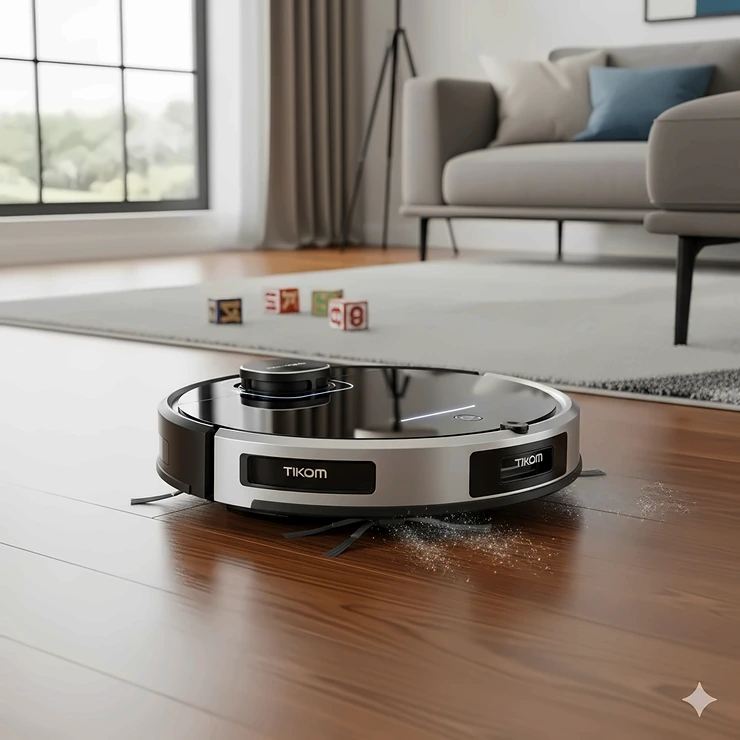
What is a tikom robot vacuum? It’s a budget robot vacuum and mop combo from Tikom, a Chinese home-cleaning brand founded in 2021 and sold mostly through Amazon. Its lineup (the L8000, L9000 and G8000 families) pairs LiDAR mapping, app control and big suction numbers with prices that undercut the household names. The catch is that “budget” shows up in specific places, and the spec sheets won’t tell you where.
Here’s the honest pitch. A tikom robot vacuum gets you features that cost real money five years ago: room mapping, no-go zones, scheduled runs, and in one model, a self-emptying dock. A robotic vacuum cleaner is basically a sensor-guided mini-vacuum that cleans on a routine, and Tikom’s pitch is simply to make that routine cheap.
Now the plot twist. Independent testing shows these machines vacuum respectably, navigate well for the price, and mop poorly. Knowing which model suits your floors matters more than chasing the biggest “Pa” number on the box.
This guide ranks seven real models using published specs, aggregated review sentiment, and independent lab data. It doesn’t contain invented hands-on stories, so you get reasoning rather than theater. Every price below is a range, because prices move daily.
Quick Comparison Table: Tikom Robot Vacuum Models at a Glance
| Model | Rated Suction | Standout Feature | Self-Empty Dock | Approx. Price Range | Best For |
|---|---|---|---|---|---|
| Tikom L8000 Plus | 6000Pa | 3L dock, 90-day bag | Yes | $200-$250 | Low-maintenance pet homes |
| Tikom L8000 Pro | 6000Pa | LiDAR, 5 saved maps | No | $150-$250 | Multi-floor homes |
| Tikom L9000 Pro | 6000Pa | Suction upgrade over L9000 | No | $150-$250 (unverified) | Carpet and pet hair |
| Tikom G8000 Max | 5000Pa | Remote, app and voice | No | $100-$170 | Tidy, simple layouts |
| Tikom L9000 | 4000Pa | 14 no-go zones | No | $100-$170 | Mapping on a budget |
| Tikom G8000 Pro | 4500Pa | Wi-Fi 2-in-1 | No | $100-$160 | Entry-level carpet and hard floor |
| Tikom G8000 | 2700Pa | Lowest entry cost | No | $80-$130 | Hard floors only |
The table shows a clear split. The L8000 Plus is the only model with a dock, and it’s priced like a mid-tier robot without one. If you care more about suction per dollar than convenience, the G8000 Max is the cheap overachiever, though it navigates less cleverly than the LiDAR models. Treat these as approximate ranges and check the current price before buying.
💬 Just one click — help others make better buying decisions too!😊
Top 7 Tikom Robot Vacuum Models: Expert Analysis
Quick note on those “Pa” numbers. They’re manufacturer ratings, not apples-to-apples lab results, so I weigh them lightly and lean on tested data wherever it exists.
1. Tikom L8000 Plus — best self-emptying dock for the money
The dock is the headline. The base holds a 3-liter sealed bag that Tikom says can run up to 90 days, so you stop emptying a small bin every other day.
Under the hood, it pairs a rated 6000Pa motor with a top-mounted LiDAR sensor and a 450ml onboard bin. In bench testing by Vacuum Wars, measured suction landed near the robot average, it removed 79% of embedded carpet sand, and it pulled 89.5% of flattened pet hair, which beat the field. On paper that means it’s a legitimately decent vacuum.
The weak spots are real, though. Its mopping scored among the lowest that lab has recorded, over half of long hair wrapped around the brush, and battery efficiency ran well below average. It also has no obstacle avoidance.
Reviewers on retail listings consistently describe simple setup and a dock that clears the bin well. Some mention the empty cycle is loud.
Pros:
- ✅ Self-empty dock cuts daily maintenance
- ✅ Above-average pet hair pickup in lab testing
- ✅ Efficient LiDAR routing for the price
Cons:
- ❌ Mopping is very weak
- ❌ Long hair tangles the roller brush
Price range: around $200-$250. For hard-floor pet households that hate emptying bins, the value is strong.
2. Tikom L8000 Pro — best LiDAR mapping without the dock
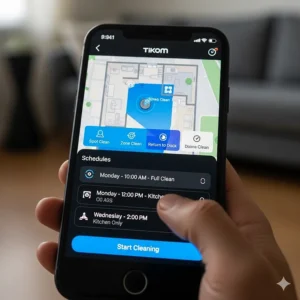
Think of the L8000 Pro as the Plus without the bag base. Same rated 6000Pa, same 150-minute runtime, 450ml bin, and LiDAR mapping that saves up to five floor maps.
Practically, five maps means a two-story home needs one mapping session per level rather than redrawing rooms constantly. Carpet detection raises suction automatically, and the quiet mode is rated around 45 dB. It also resumes cleaning after recharging, which matters because budget batteries rarely finish a big home in one shot.
Based on the spec comparison, this suits people who’ll empty a bin and don’t mind it. You get most of the L8000 Plus brains for less, but also the same fixed mop pad and no obstacle avoidance. German Amazon listings show about 4.6 stars across roughly 119 reviews, with strong suction and navigation the common praise. That’s a small sample, so treat it lightly.
Pros:
- ✅ Multi-floor maps for stairs and upper levels
- ✅ Automatic carpet suction boost
- ✅ Recharge-and-resume cleaning
Cons:
- ❌ No self-empty dock
- ❌ Mop pad is fixed and doesn’t lift
Price range: roughly $150-$250, and third-party marketplace listings can run much higher. Good value if you skip the dock.
3. Tikom L9000 Pro — highest suction rating in the L9000 line
The L9000 Pro is the same family as the L9000 with a bigger suction number, 6000Pa rated, plus 150 minutes of runtime and self-charging. It’s pitched at pet hair and carpet.
Here’s my analytical caution: independent lab data on this specific model was thin when I researched it. So the sensible read is to treat it as a cousin of the L9000 with a stronger motor, and not to assume it matches the L8000 Plus dock-free performance until you read recent buyer reviews.
What I can say from the manual is practical. Keep its brush and sensors free of hair, use original Tikom parts, and unplug the charger if you’re away a while. That’s dull advice, and it’s also what keeps a budget bot alive.
Reviews specific to this model weren’t verifiable in my research, so I won’t pretend to summarize them. Read the live listing’s recent reviews before you commit.
Pros:
- ✅ Higher suction rating than the base L9000
- ✅ 150-minute rated runtime
- ✅ Self-charging for hands-off runs
Cons:
- ❌ Limited independent testing available
- ❌ No self-empty dock
Price range: likely about $150-$250 based on sibling models; check the live listing. Reasonable, but wait for evidence.
4. Tikom G8000 Max — most suction per dollar
The G8000 Max is the scrappy one. It’s rated 5000Pa, runs up to 150 minutes, and is a slim 3 inches tall, which helps under low furniture. You can drive it by app, voice, or the bundled remote, which is a nice option if you dislike apps.
One independent write-up sums it up as a budget robot that cleans better than it navigates. In plain terms, it spends its budget on suction and saves everywhere else, so it fits a fairly tidy home.
German retail listings show roughly 4.4 stars across about 4,500 Amazon.de reviews, with strong praise for quiet operation and thorough cleaning. That’s a much bigger sample than most Tikom models have.
The mop holder doesn’t lift over rugs, so you either remove it for vacuum-only runs or block carpets with the boundary strip.
Pros:
- ✅ Strong suction rating for the price
- ✅ Remote, app and voice control options
- ✅ Slim body reaches under furniture
Cons:
- ❌ Basic navigation, no true LiDAR mapping
- ❌ Mop holder doesn’t lift on carpet
Price range: roughly $100-$170. A smart pick for simple layouts.
5. Tikom L9000 — LiDAR mapping at entry-level cost
The L9000 is the budget way to get LiDAR. It’s rated 4000Pa, with a 300ml bin, a 250ml water tank, three water levels, and 14 no-go zones in the app. It can climb thresholds around 18mm and sits about 3.7 inches tall.
Four thousand Pa sounds lower than the 6000Pa models, but ratings are marketing numbers. What the L9000 really gives you is mapping, saved floors, and a two-year warranty claim, which is longer than the one-year term listed for the L8000 Pro.
On the downside, it uses a fixed pad rather than a lifting mop, has no dock, and has no obstacle avoidance. An aggregator that scores user feedback rates it above roughly four-fifths of robot vacuums, and German reviews run to over a thousand. Retail reviewers often mention quiet running and easy use.
Pros:
- ✅ LiDAR mapping with up to five saved maps
- ✅ 14 no-go zones for tight control
- ✅ Longer warranty than some siblings
Cons:
- ❌ Lower suction rating than Pro models
- ❌ Fixed mop pad with no obstacle avoidance
Price range: about $100-$170. Good value if mapping matters more than raw power.
6. Tikom G8000 Pro — simple Wi-Fi 2-in-1 for mixed floors
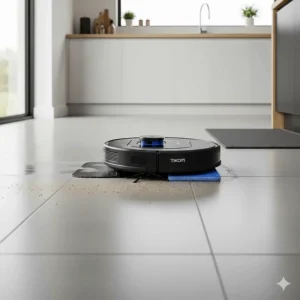
The G8000 Pro is the older-generation middle child: 4500Pa rated, 150 minutes of runtime, Wi-Fi control and self-charging. It’s sold for both carpet and hard floors.
Because it’s an earlier model, expect a basic route-planning approach rather than LiDAR room maps. That’s fine in a small apartment and annoying in a big house.
Here’s what the spec sheet won’t tell you: older listings mean a longer review history, which is useful, but it also means the hardware may lag the newer L9000 line. I couldn’t verify aggregated review ratings for this specific model, so I’m declining to invent them.
If it’s around the same price as a G8000 Max, I’d lean toward the G8000 Max because of its documented strengths.
Pros:
- ✅ Wi-Fi control at a low price
- ✅ 4500Pa rated suction
- ✅ Handles carpet and hard floor
Cons:
- ❌ Older generation, basic navigation
- ❌ Limited independent test data
Price range: roughly $100-$160. Fine, but not the first pick.
7. Tikom G8000 — lowest-cost entry for hard floors
The original G8000 is rated 2700Pa and is marketed for hard floors. It’s the cheapest way into the brand, and the listing calls out pet hair and hard surfaces rather than deep carpet.
Low suction means you should match it to the job: tile, vinyl and sealed wood, with small rugs removed. On deep carpet, it’s likely to disappoint.
It’s also useful as a cautionary tale about the numbers. Compare 2700Pa to the 6000Pa headline on the L8000 Pro, and you can see how much marketing language drives the lineup. Still, as a cheap daily dust-sweeper for a studio, it makes sense.
Verified review data for this exact model was scarce, so judge it on the listing’s recent feedback.
Pros:
- ✅ Lowest cost of the seven
- ✅ Fine for light hard-floor tidying
- ✅ Simple setup and self-charging
Cons:
- ❌ Lowest suction rating in the lineup
- ❌ Poor fit for thick carpet
Price range: about $80-$130. Only buy it for a small, mostly hard-floor space.
Tikom Robot Vacuum Comparison: Specs, Price Ranges and Ratings
| Model | Rated Suction | Navigation | Runtime | Rating Evidence | Best For |
|---|---|---|---|---|---|
| Tikom L8000 Plus | 6000Pa | LiDAR | 150 min rated | Lab-tested; retail reviews positive | Pet homes, low effort |
| Tikom L8000 Pro | 6000Pa | LiDAR | 150 min | ~4.6 stars, small sample | Multi-floor homes |
| Tikom L9000 Pro | 6000Pa | Not verified | 150 min | Not verified | Wait for reviews |
| Tikom G8000 Max | 5000Pa | Basic | 150 min | ~4.4 stars, ~4,500 reviews | Simple layouts |
| Tikom L9000 | 4000Pa | LiDAR | 150 min | Strong aggregator score | Budget mapping |
| Tikom G8000 Pro | 4500Pa | Basic | 150 min | Not verified | Small mixed-floor homes |
| Tikom G8000 | 2700Pa | Basic | Varies | Not verified | Hard-floor studios |
Looking at the table, the real separation isn’t suction, it’s navigation and the dock. The L8000 Plus and L8000 Pro share a core, so the choice between them is just whether you’ll pay for automatic emptying. Shoppers on a tight budget should note that the L9000 is the cheapest route to LiDAR, while the G8000 sacrifices both suction and mapping to hit its price.
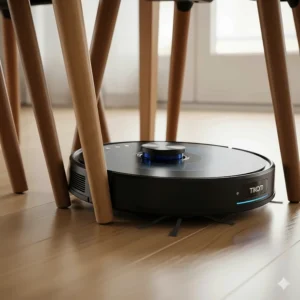
How to Choose a Tikom Robot Vacuum
Short answer: match the model to your floors, your layout, and how much emptying you’ll tolerate. Here’s the practical sequence.
- Check your flooring. Mostly hard floors? Any model works, including the G8000. Thick carpet needs the 5000Pa-plus models.
- Decide on the dock. If you hate bin chores, only the L8000 Plus has a self-emptying base. Everyone else empties a 300-450ml bin by hand.
- Pick navigation by home size. Multi-room or two-story homes benefit from LiDAR and saved maps (L8000 Pro, L9000). A single open room doesn’t need it.
- Treat mopping as a bonus. Independent testing found the L8000 Plus mop extremely weak. Buy for vacuuming and view mopping as light dust wiping.
- Count your hair. Long hair or long-haired pets tangle the brush, so budget weekly cleaning time.
- Check the warranty and parts. Warranty terms differ by model, so confirm on the listing.
- Read recent reviews. For a general framework, see the Vacuum Wars robot vacuum buyer’s guide, which explains brushes, docks and sensors in depth.
Features That Actually Matter (And Those That Don’t)
Let’s separate signal from sticker. Features that matter on a tikom robot vacuum: LiDAR mapping, no-go zones, recharge-and-resume, and a dock if you truly dislike emptying bins. Those change your daily life.
Features that matter less than the box suggests:
- Peak suction ratings. A bench test measured the L8000 Plus near the robot average, even with a 6000Pa label.
- “Mop” in the title. A fixed flat pad with low water flow is closer to a damp wipe.
- Voice control. Handy, but nobody picks a vacuum for it.
One thing buyers often overlook is obstacle avoidance. These models don’t have cameras or structured-light sensors, so loose cables, socks and pet toys can stall them. Tidy before you run. That tradeoff is the reason premium robots cost several times as much.
Another detail: app setup uses a third-party smart home platform on at least the L8000 Plus, with Bluetooth pairing. Use a strong Wi-Fi password and keep the firmware updated.
Tikom Robot Vacuum vs Traditional Alternatives
| Option | Typical Cost | Effort | Main Strength | Best For |
|---|---|---|---|---|
| Tikom robot vacuum (e.g., L8000 Plus) | Low ($100-$250) | Very low | Automated daily upkeep | Busy households |
| Premium robot vacuum | High ($500+) | Very low | Obstacle avoidance, strong mopping | Cluttered or large homes |
| Stick or upright vacuum | Low to mid | High | Deep, targeted cleaning | Deep carpet, stairs |
A budget robot isn’t a replacement for a deep clean, but it wins on consistency. Running one daily keeps dust from building up, which is the real job. A premium robot reaches higher on obstacle handling and mopping, while a stick vacuum still wins for stairs and deep carpet.
Based on this comparison, many people do best pairing a L8000 Pro or L8000 Plus with an occasional manual pass. The robot handles the 90% routine, and a stick vacuum handles the rest.
What to Expect: Real-World Performance
Forget the marketing and picture a regular Tuesday. A tikom robot vacuum with LiDAR maps your home in a first run, then follows efficient lanes rather than bouncing randomly. In lab testing, the L8000 Plus covered ground faster than the typical robot tested, which means fewer wasted minutes.
Then reality shows up. The L8000 Plus covered an estimated 881 square feet per charge versus roughly 1,170 for the average robot in that lab’s database, so a larger home may rely on recharge-and-resume. That’s fine if you’re patient, because it comes back and finishes.
On carpet, expect reasonable performance. Sand pickup and pet hair numbers were respectable, and automatic carpet boost helps. On hard floors, expect a daily dust sweep rather than deep scrubbing.
Mopping is where expectations should drop. A fixed pad that doesn’t lift means you must set no-mop zones around rugs, or remove the pad for vacuum-only days.
Long-Term Cost & Maintenance
Cheap upfront doesn’t always mean cheap forever, so let’s run the ownership math.
| Tier | Models | Price Range | What You Gain | Trade-Off | Best For |
|---|---|---|---|---|---|
| Entry | G8000, G8000 Pro | $80-$160 | Lowest cost | Basic navigation | Small, hard-floor spaces |
| Mid | G8000 Max, L9000 | $100-$170 | Strong suction or LiDAR | No dock | Budget buyers |
| Upper | L8000 Pro, L9000 Pro | $150-$250 | 6000Pa rating, maps | No dock | Larger homes |
| Top | L8000 Plus | $200-$250 | Self-empty dock | Weak mop, hair tangles | Pet households |
The tier table shows that the jump from mid to top buys convenience, not cleaning magic. For the L8000 Plus, ongoing costs are dock bags, filters, brushes and mop pads. Replace them on schedule and the robot lasts; ignore them and suction drops.
Since long hair tangled heavily in lab testing, plan a weekly roller-brush check. Keep spare filters on hand, too.
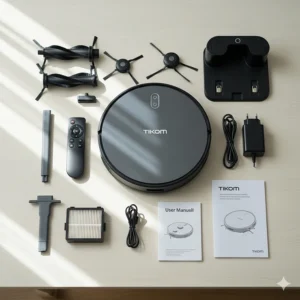
Safety, Allergies and Privacy
Dust isn’t just cosmetic. A public health page notes that house dust is a common indoor pollutant, that vigorous vacuuming can stir up more of it, and that HEPA filtration helps reduce household dust. Third-party spec listings show several Tikom models with a sealed HEPA filter, but confirm that on your model’s listing, since I couldn’t verify it for every unit.
Practical safety: keep cords off the floor, remove small items, and don’t run the robot over wet spills. The manual for the L9000 Pro warns against cleaning anything wet or flammable, and cautions against letting children or pets play with the robot.
Privacy deserves a sentence. The L8000 Plus app connects to your Wi-Fi, so use a unique password and keep your phone’s app current. A small number of users reported odd Bluetooth behavior after setup, which appears rare.
Practical Usage Guide: Your First 30 Days
Here’s a simple routine that stretches a budget robot’s life.
Day one. Charge fully, then pick up cables, socks and rugs with fringes. Run a first mapping pass with doors open.
Week one. Add no-go zones around pet bowls and cords. If you own a L9000 or L8000 Pro, save separate maps per floor. Set no-mop zones on any carpet before using mop mode.
Weekly. Clean the main roller. Lab testing found long hair wraps it heavily on the L8000 Plus, so snip tangles with scissors. Wipe cliff sensors and charging contacts.
Monthly. Replace or rinse the filter, wash the mop pad, and check the side brush.
Common first-month mistakes: running the mop on carpet, skipping brush cleaning, and blaming the robot for cords it was never built to dodge. Fix those and most “it’s broken” moments vanish.
Real-World Scenarios: Which Tikom Matches Your Life?
Scenario 1: The pet owner in a 1,200 sq ft apartment, mostly hard floors. You shed-sweep daily and hate emptying bins. The L8000 Plus is the logical match, because the dock handles fur and its pet hair pickup tested above average. Budget: around $200-$250. Keep a lint roller handy for brush tangles.
Scenario 2: The two-story family home with a mix of carpet and tile. Multi-floor maps matter here. The L8000 Pro saves several maps, adds carpet boost, and costs less than the dock version. Budget: roughly $150-$250. Use no-go zones around toy bins.
Scenario 3: The first-time buyer in a tidy studio. You want to try a robot without a big spend. The G8000 Max delivers strong rated suction and a remote control for about $100-$170. It won’t map rooms, so keep floors clear.
Scenario 4: The renter who wants mapping cheaply. The L9000 gives LiDAR and 14 no-go zones at an entry price. Run it daily, and treat mopping as a light touch-up.
Problem → Solution Guide for Tikom Robot Vacuum Owners
Problem: it gets stuck on cords. None of these models have obstacle avoidance, so use no-go zones and cable clips.
Problem: hair wraps around the brush. Clean it weekly. Long hair tangled heavily in testing of the L8000 Plus, so keep scissors in the dock area.
Problem: carpets get damp. The mop holder on the G8000 Max and L8000 Plus doesn’t lift. Remove it before vacuum-only runs, or set no-mop zones.
Problem: the battery quits before the house is done. Rely on recharge-and-resume, or split cleaning into zones. Lab data suggests actual coverage per charge is modest.
Problem: Wi-Fi won’t connect. These units use 2.4 GHz Wi-Fi, so check your router band before blaming the robot.
✨ Don’t Miss These Exclusive Deals!
🔍 Ready to upgrade your cleaning routine? Click any highlighted product above to check current pricing and availability. A well-chosen tikom robot vacuum can give you back hours every week, and keep your floors dust-free all year!
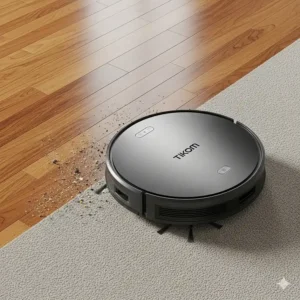
FAQ: Tikom Robot Vacuum Questions
❓ How long does a tikom robot vacuum run on one charge?
❓ Which tikom robot vacuum has a self-emptying base?
❓ Does a tikom robot vacuum work with Alexa or Google?
❓ Can a tikom robot vacuum mop carpet safely?
❓ Is a tikom robot vacuum good for pet hair?
Conclusion: Is a Tikom Robot Vacuum Worth It?
Yes, if you buy the right model for the right job. A tikom robot vacuum won’t replace a premium robot with obstacle avoidance and serious mopping, and it doesn’t pretend to. What it does is put LiDAR mapping, saved floors and, on one model, a self-emptying dock into a price range that used to buy a basic bumper bot.
My short list: pick the Tikom L8000 Plus if you want hands-off pet-hair cleanup on hard floors, the Tikom L8000 Pro if you need multi-floor maps without the dock, the Tikom G8000 Max if you want the most suction for the least money, and the Tikom L9000 if mapping is your priority. Be wary of the Tikom L9000 Pro, Tikom G8000 Pro and Tikom G8000 until you’ve read fresh buyer feedback, because independent data was thin.
Set realistic expectations, tidy cords, clean the brush weekly, and use no-mop zones on carpet. Do that, and you’ll get far more value than the price suggests.
✨ Ready to choose? 🔍 Compare the models above, check current pricing, and pick the tikom robot vacuum that fits your floors. Your future self, sitting on a freshly swept couch, will thank you! 🤖🏠
Recommended for You
- 7 Best Cordless Pool Cleaner Options Revolutionizing Pool Maintenance in 2025
- 7 Best Robotic Pool Vacuum for Above Ground Pools That Transform Cleaning in 2025
- 7 Best Pool Cleaner for Above Ground Pool Options That Actually Work in 2025
Disclaimer: This article contains affiliate links. As an Amazon Associate, I earn from qualifying purchases. If you purchase products through these links, we may earn a small commission at no additional cost to you.
✨ Found this helpful? Share it with your friends! 💬🤗
