
In This Article
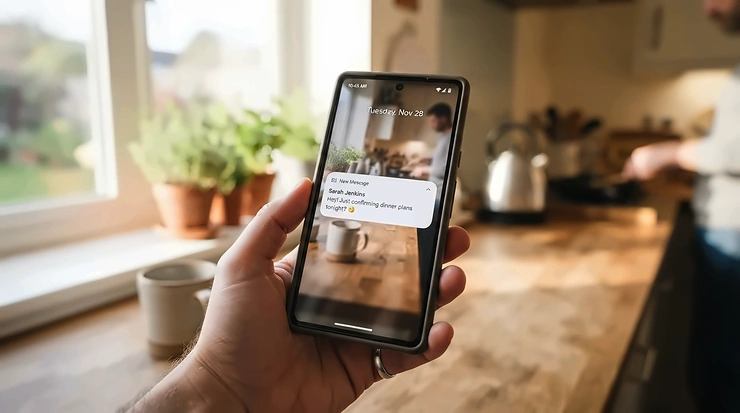
Picture it: 9:40 p.m., you’re three episodes deep, and somewhere in the kitchen a dishwasher finished its job twenty minutes ago. It’s now sitting there, steaming and smug, while your plates cool into a damp, forgotten mess. An app-controlled dishwasher with cycle notifications fixes exactly that. It taps your shoulder the moment the rinse ends, and it lets you start, delay, or monitor a load from your phone.
Is it essential? No. Consumer Reports’ own take is blunt: most shoppers can hold off on paying for Wi-Fi unless the budget is flexible and the data-sharing doesn’t bother them. That’s fair. But the smart layer has matured. Some 2026 models now pair the app with real hardware upgrades, like sensors that judge how dirty the dishes are and dispensers that hold about a month of detergent.
This guide covers seven real models across budget, mid-range, and premium tiers. It leans on spec sheets, manufacturer documentation, and aggregated review themes. It also tackles what you probably searched for: automatic detergent dispensing, small-household sensor cycles, whether the upgrade beats a non-smart machine, end-of-cycle push alerts, app-based troubleshooting codes, and subscription-free app features. Every price below is a range, because dishwasher prices swing with promotions. Check current prices before you buy.
Quick Comparison: 7 Smart Dishwashers at a Glance
| Model | App | Cycle Alerts | Detergent Dosing | Noise | Best For |
|---|---|---|---|---|---|
| LG AI SenseClean Dishwasher | LG ThinQ | App alerts via ThinQ | Auto dispenser, about 1 month per refill | Check listing | Hands-off premium cleaning |
| Hisense Smart Built-In Dishwasher With Autodose & AutoDry | Hisense connected app (verify) | Verify before buying | Autodose, about 1 month | 40 dBA | Busy families |
| GE Profile PDP715SYVFS | SmartHQ | App plus door notification bar | Standard dispenser | 44 dBA | Feature-hungry households |
| Bosch 500 Series SHP65CM5N | Home Connect | App notifications | Standard dispenser | 44 dBA | Open-plan kitchens |
| Samsung Bespoke DW80CG5450 | SmartThings | Remote start/stop/delay; confirm alert settings | Standard dispenser | 46 dBA | Samsung-ecosystem homes |
| LG LDPS6762S | LG ThinQ | App alerts via ThinQ | Standard dispenser | Check listing | Value-minded buyers |
| GE Profile PDT145SGLBB (18-inch) | SmartHQ (Wi-Fi accessory) | App alerts with accessory | Standard dispenser | 47 dBA | Small kitchens |
Read the table as a sorting tool, not a verdict. The LG AI SenseClean Dishwasher and the Hisense Smart Built-In Dishwasher With Autodose & AutoDry are the only two here that dose detergent for you, so they own that category. The Bosch 500 Series SHP65CM5N is the quietest of the full-size group. Small-kitchen shoppers should skip straight to the GE Profile PDT145SGLBB, which is the only 18-inch option.
💬 Just one click — help others make better buying decisions too!😊
Top 7 App-Controlled Dishwasher With Cycle Notifications Picks: Expert Analysis
1. LG AI SenseClean Dishwasher — sensors and detergent dosing in one machine
The headline here is autonomy. The CES 2026 Innovation Awards entry describes digital turbidity sensors that read soil levels in real time, then adjust the cycle. It also describes an Auto Detergent Dispenser good for up to a month per refill.
In practice, that removes two chores: guessing which cycle to run and measuring detergent. QuadWash Pro is credited with a full wash-and-dry in about an hour for normally soiled dishes, and software updates arrive through the app, so the machine can improve after install. LG’s own newsroom notes these features are limited to select models, so confirm the exact model number before ordering.
Based on the spec comparison, this suits households that want a dishwasher that decides for itself. Fair warning: I could not verify a body of owner reviews for this newer model, so treat claims as manufacturer-reported until independent testing catches up.
Pros:
- ✅ Soil sensing adjusts each cycle automatically
- ✅ Month-long detergent reservoir cuts daily measuring
- ✅ App-delivered software updates extend features
Cons:
- ❌ Limited independent owner reviews so far
- ❌ Available on select models only
Expect premium-tier pricing, so check current price. It’s good value if auto-dosing matters to you.

2. Hisense Smart Built-In Dishwasher With Autodose & AutoDry — a month of detergent, loaded once
Hisense’s CES 2024 honoree was billed as the first liquid-detergent autodosing dishwasher in the US market. It stores up to a month of detergent, holds up to 15 place settings, and pops the door open at the end of the cycle to let steam out.
The 40 dBA inverter motor matters as much as the dosing. It’s quiet enough to run at dinner, and it’s described as ENERGY STAR Most Efficient caliber. AutoDry lets plastics dry without a towel, which is the usual dishwasher complaint.
The honest caveat is availability. I could confirm the award listing and press coverage, but not a stable US model number or the exact app it uses, so verify both on Hisense’s site before buying. Its non-smart sibling, the HUI6220XCUS, is rated 47 dB(A) and chimes when a cycle ends, which is a useful reference point for what “smart” adds.
No verified owner-review pool for the autodose version, so none is summarized here.
Pros:
- ✅ Autodose stores roughly a month of detergent
- ✅ Quiet 40 dBA inverter motor
- ✅ AutoDry door release helps plastics dry
Cons:
- ❌ US model and app details need verification
- ❌ Few independent owner reviews
Pricing varies by retailer, so check current price. Value depends on how much you’d pay to skip detergent duty.
3. GE Profile PDP715SYVFS — notification bar plus deep SmartHQ control
This one has two layers of alerts. Inside the SmartHQ app you get cycle status and remote control. On the machine itself, a notification bar on the door shows the state of the clean at a glance.
It fits 16 place settings, runs at 44 dBA, and offers 6 cycles and 14 options. Dry Boost, bottle jets for tall glasses, and the Piranha hard-food disposer mean less pre-rinsing. The app can also reassign cycles. Specs list Connect+, Platinum Plus, and Cascade as app-based options.
The analytical take: this is the choice if you’ll actually use the app to customize the machine. GE’s connected-services page (more on this later) hints that advanced alerts might sit behind a paid tier, so check what’s included at purchase.
I found no verified review aggregate for this exact model, so none is cited.
Pros:
- ✅ Door notification bar plus app alerts
- ✅ App-assignable custom cycles
- ✅ Large 16-place-setting capacity
Cons:
- ❌ Some advanced features may be tiered
- ❌ No standard automatic detergent dosing
Expect a mid-to-premium range, so check current price. A strong value for tinkerers.
4. Bosch 500 Series SHP65CM5N — whisper-quiet with Home Connect
At 44 dBA, the Bosch 500 Series SHP65CM5N is the “is it even running?” pick, which is why Bosch added InfoLight, a red floor beam that shows when a cycle is active. It holds 16 place settings and carries ENERGY STAR certification.
Home Connect is the app layer. It unlocks 3 extra cycles beyond the 5 on the panel, plus 2 extra options, Smart Cycle, and remote start. Bosch also promotes voice control through Alexa and Google Home. PrecisionWash sensors adjust the cycle automatically, and AutoAir pops the door at the end for drying.
On reviews, a customer comment on Bosch’s UK Home Connect page praised the dishwasher but noted that Home Connect sometimes drops out. That’s one data point, not a pattern, but it echoes the wider Wi-Fi-flakiness theme. Warranty coverage listed by one retailer was 1 year parts and labor, with longer terms on control board and racks.
Pros:
- ✅ 44 dBA, ideal for open-plan kitchens
- ✅ Home Connect adds extra cycles and options
- ✅ PrecisionWash sensors plus AutoAir drying
Cons:
- ❌ Occasional Home Connect dropouts reported
- ❌ No automatic detergent dosing
Pricing runs around $1,100-$1,250. Pay for the quiet, not the app.
5. Samsung Bespoke DW80CG5450 — the door pops open when it’s done
Samsung solved the notification problem physically. At the end of a cycle, the AutoRelease door swings open to circulate air, and the door itself becomes your alert. SmartThings lets you start, stop, or delay cycles and monitor power use.
It fits 15 place settings, runs at 46 dBA, and has a stainless interior with a digital leak sensor. Four downloadable cycles (Plastic, Pots & Pans, Baby Care, Night) expand the menu. The spec sheet lists 239 kWh per year and ENERGY STAR rating.
Samsung’s own listings emphasize remote control and energy monitoring rather than push alerts, so confirm the cycle-complete notification in the app settings. One expert-roundup source flags that SmartThings is required for full smart features, which matters if you don’t own other Samsung gear.
Pros:
- ✅ AutoRelease door doubles as a physical alert
- ✅ Four downloadable specialty cycles
- ✅ Leak sensor included
Cons:
- ❌ Full features require SmartThings and a Samsung account
- ❌ 46 dBA is louder than Bosch or GE
Street pricing often lands around $600-$1,000 depending on promotions. Strong value when it’s discounted.
6. LG LDPS6762S — value-minded ThinQ Care
The LG LDPS6762S is the sensible middle. It fits 15 place settings, has a height-adjustable third rack, and layers QuadWash Pro and TrueSteam on top. The ThinQ app handles remote start, notifications, and ThinQ Care alerts. A soil sensor and a Download Cycle slot round it out.
LG says its dishwashers are NSF-certified to reduce bacteria by 99.999% on the steam cycle. ThinQ Care sends maintenance and diagnostic alerts, which is useful when something goes wrong, and an Auto cycle handles most loads.
Review themes are mixed in a healthy way. One retailer page showed a 4.4 rating across 49 reviews, with praise for ease of use and quiet running. It also carried at least one angry “lemon” complaint, a reminder that individual units vary and warranty terms matter.
Pros:
- ✅ ThinQ Care adds proactive alerts
- ✅ Height-adjustable third rack
- ✅ Soil sensor with Auto cycle
Cons:
- ❌ Conventional detergent dispenser only
- ❌ Some owners report unit-level problems
Pricing sits around $850-$1,100, depending on the retailer. Good value for the ThinQ ecosystem.
7. GE Profile PDT145SGLBB (18-inch) — compact enough for tiny kitchens
For apartments, this is the standout. At 17¾ inches wide, it fits an 18-inch cutout and holds 8 place settings. It runs at 47 dBA, has 3 cycles, and uses a 3-Level Wash. An Autosense cycle measures soil and water temperature with a beam of light and adjusts the time, the closest thing to sensor wash cycles in this size class.
One catch: Wi-Fi is optional. Listings say a smart accessory is required, so you’ll need to buy and install it before the app works. Once connected, SmartHQ gives you cycle status and remote control.
A Best Buy listing showed 4.2 out of 5 stars across 62 reviews, which suggests decent satisfaction but a smaller pool than full-size models.
Pros:
- ✅ Fits an 18-inch cutout, ADA-friendly
- ✅ Autosense adjusts time to soil level
- ✅ NSF-certified sanitize option
Cons:
- ❌ Wi-Fi requires a separate accessory
- ❌ Only 8 place settings
Pricing ran around $900-$1,050. Pricey per place setting, but hard to replace in a tight kitchen.
What Is an App-Controlled Dishwasher With Cycle Notifications?
An app-controlled dishwasher with cycle notifications is a Wi-Fi-enabled dishwasher that pairs with a smartphone app. Through the app you can start, delay, or monitor a wash, and the machine sends a push alert when the cycle ends or a problem appears. Some models add remote diagnostics, extra downloadable cycles, and energy tracking.
That’s the whole concept. The interesting question is what separates a gimmick from a feature. Based on Which?’s testing of dishwasher apps from brands including Miele, Bosch, Samsung, and Hisense, every app lets you start a cycle remotely. But you still have to load the machine first, and you usually need to enable a “remote start” mode at the unit. Remote start is therefore less magical than it sounds.
Cycle notifications are the quieter hero. They answer the only question a dishwasher owner asks from the couch: is it done yet? As Which?’s breakdown of useful smart dishwasher features notes, the cheapest smart models cost a premium over comparable non-smart ones. So the real test is simple: will you use the app weekly?

How to Choose an App-Controlled Dishwasher With Cycle Notifications
Pick with these seven steps. They’re ordered by how often they decide the purchase.
- Confirm the alert is real. Look for “cycle complete notification” in the manual or app listing, not just “Wi-Fi enabled.” Some brands emphasize remote start and energy data.
- Check the noise rating. 44 dBA or below suits open-plan homes. Bosch and GE both publish 44 dBA models.
- Match capacity to your household. 15-16 place settings suits families; 8 suits couples and singles.
- Decide on detergent dosing. Autodose is new and rare. Is a month of hands-off detergent worth a price premium?
- Verify the app ecosystem. SmartThings, ThinQ, SmartHQ, and Home Connect each work best with their own brand’s other devices.
- Read the connectivity fine print. Some models need an accessory, an account, or a paid tier for advanced alerts.
- Check ENERGY STAR status. The ENERGY STAR dishwasher criteria cap standard models at 240 kWh per year and 3.2 gallons per cycle. Compact models face tighter limits.
Best Smart Dishwasher With Automatic Detergent Dispensing: What to Know
Automatic dosing sounds like a luxury. It’s really a habit-breaker. Measure too little detergent and you get film; too much and you waste money. A dispenser that senses soil and doses accordingly solves both.
Two models in this guide do it: the LG AI SenseClean Dishwasher and the Hisense Smart Built-In Dishwasher With Autodose & AutoDry. Both advertise roughly a month of detergent per refill. LG ties dosing to soil sensing, while Hisense’s pitch is load-and-go simplicity. GE has also marketed a SmartDispense system on some Profile models in the past, with a reservoir sized for a full bottle of liquid detergent. Availability changes, so verify on current specs.
There’s a trade-off. Reservoirs are built for liquid or gel detergent, so your favorite pods may be off the table. Reservoirs also need cleaning. If you’re hunting for the best smart dishwasher with automatic detergent dispensing, ask three questions: Which detergent types are supported? How often does the reservoir need a refill? And what does the app say when it runs low?
Appliance-testing outfit Consumer NZ gave a related verdict for washing machines: if you must go smart, choose auto-dosing. The same logic applies to dishwashers, where dosing is arguably the most practical smart feature.
✨ Don’t Miss These Exclusive Deals!
🔍 Take your kitchen routine to the next level with these carefully selected dishwashers. Click on any highlighted item to check current pricing and availability. These machines will help you create a calmer, quieter post-dinner cleanup your whole household will love!
Best Smart Dishwasher for Small Households With Sensor Wash Cycles
Small households face a funny problem: half-empty loads. A sensor wash cycle helps because it matches water and time to how dirty the dishes are, rather than running a fixed, generous program.
The GE Profile PDT145SGLBB (18-inch) is the compact specialist. Its Autosense cycle measures soil and water temperature with a beam of light, then sets the time. The catch is capacity: 8 place settings fills quickly if you entertain. For many couples and singles, though, that’s plenty.
If you prefer a full-size machine with sensors, the Bosch 500 Series SHP65CM5N uses PrecisionWash sensors, and the LG LDPS6762S includes a soil sensor with an Auto cycle. Both include half-load options through app-accessible cycles on some Bosch and Samsung models, though check the specific cycle list.
For the best smart dishwasher for small households with sensor wash cycles, weigh three things. First, space: measure your cutout. Second, load size: choose a half-load option if you run partial loads. Third, noise: small apartments amplify dishwasher sound, so 44-47 dBA matters. ENERGY STAR’s compact category exists for precisely this reason, with a tighter energy ceiling than standard models.
Smart Dishwasher vs Non-Smart Dishwasher: Is the Upgrade Worth It?
Honest answer: it depends on your habits. Here’s how the two compare.
| Factor | Smart Dishwasher | Non-Smart Dishwasher | Best For |
|---|---|---|---|
| Cycle-end alert | Push notification (e.g., LG LDPS6762S) | Chime or light only | Smart: leaving home mid-cycle |
| Remote start/delay | Yes (e.g., Bosch 500 Series SHP65CM5N) | No | Smart: off-peak scheduling |
| Extra cycles | Downloadable (e.g., Samsung Bespoke DW80CG5450) | Fixed on-panel set | Smart: specialty loads |
| Diagnostics | App-based alerts | Manual code lookup | Smart: fewer service calls |
| Price premium | Usually higher | Lower | Non-smart: tight budgets |
| Privacy/data | Shares usage data with the maker | None | Non-smart: privacy-first buyers |
Which? found the cheapest smart Best Buy costs more than a comparable non-smart Best Buy, so you’re paying a premium. Consumer Reports adds that some smart models offer fewer panel cycles, though non-smart machines often ship with similar cycles preloaded.
The practical read: if you’ll glance at your phone weekly, the upgrade earns its keep. If you’d rather listen for a chime, skip the Wi-Fi tax and spend on a quieter motor or better racks. Consumer NZ’s verdict was that smart dishwashers aren’t particularly useful, though its top-tested model happened to be smart anyway. That’s a useful reminder: buy the best washer, then enjoy the app as a bonus.
End-of-Cycle Push Alerts: The Smart Feature Most Owners Actually Use
If one smart feature earns a spot on your shortlist, make it end-of-cycle push alerts. Consumer Reports’ research found that notifications telling you a dishwasher, washer, or dryer is done rank among the most-liked smart-appliance features. That squares with what the spec sheets emphasize.
Why do they matter? Damp dishes in a closed machine invite odor, and a finished cycle left sitting delays your next load. A buzz on your phone solves both. LG’s ThinQ notifies you when dishes are clean, GE’s SmartHQ sends cycle-completion alerts, and Bosch’s Home Connect sends push notifications. Samsung leans on its AutoRelease door instead.
A few practical notes:
- Check phone permissions. Notifications fail silently if your phone blocks them.
- Mind your Wi-Fi. Dropouts mean missed alerts.
- Add low-supply alerts. Some apps flag low rinse aid, and some regional Bosch services track detergent tablets.
So when you compare an app-controlled dishwasher with cycle notifications against a basic Wi-Fi model, test the alert first. It’s the feature you’ll feel every day.
App-Based Troubleshooting Codes: Fixing Problems Before You Call a Tech
A dishwasher error used to mean a blinking light and a dive into the manual. App-based troubleshooting codes change that. LG’s ThinQ Care provides usage, maintenance, and diagnostic alerts, and Bosch’s Home Connect site explains error codes and how to resolve them. GE’s SmartHQ includes remote diagnostics and notifications about issues.
Here’s a simple Problem → Solution workflow that applies across brands:
- Problem: the cycle stopped and the display shows a code. Open the app first. It usually translates the code into plain language and suggests a fix.
- Problem: standing water at the end. Check the filter and drain path. The app will often point you toward a drain-related alert.
- Problem: a leak or flood warning. Shut off the water supply, then follow the app’s guidance. Samsung’s model has a digital leak sensor, and GE lists Active Flood Protect.
- Problem: poor drying. Try the manufacturer’s extra-dry option or open-door drying feature.
- Problem: Wi-Fi dropped. Re-pair the appliance. Consumer Reports notes smart appliances can lose some functions offline.
Use app-based troubleshooting codes as a first pass, not a replacement for a technician. They shorten the diagnosis, and that alone can save a service call.
Subscription-Free App Features: What You Get Without Paying Monthly
Many buyers fear a paywall. The reality is mixed, so read the fine print.
Bosch’s Home Connect app is a free download, and the brand says extra programs are available at no charge. Samsung’s SmartThings app handles remote start, stop, and delay with a Wi-Fi connection and a Samsung account. LG’s ThinQ app supports remote start and ThinQ Care alerts, and LG has promoted extended warranty perks for registering appliances through the app.
GE is the one to watch. A GE Appliances page describes connected features that would be free for the first year and then $59 per year. It lists remote control and cycle-completion notifications alongside advanced alerts, usage data, and service protection. The page asks for feedback on the concept, so I can’t confirm it’s active or exactly which features would be gated. Verify with GE before you buy.
For subscription-free app features, use this rule: confirm in writing that remote start, cycle alerts, and basic diagnostics are free for the life of the appliance. If a brand reserves advanced alerts or usage tracking for paid tiers, decide whether you’d miss them.
Practical Usage Guide: Setting Up and Getting the Most From Your Smart Dishwasher
A good setup in the first week prevents most frustration.
Setup checklist:
- Place the dishwasher within reliable Wi-Fi range. A weak signal causes dropped alerts.
- Download the correct app (ThinQ, SmartHQ, Home Connect, or SmartThings) before pairing.
- Pair on the 2.4 GHz band if the manual calls for it.
- Enable push notifications at both the app and phone level.
- Run a test cycle and confirm you receive the end-of-cycle alert.
First 30 days, common mistakes:
- Forgetting to enable remote-start mode at the machine, since remote start usually needs a mode activated on the dishwasher.
- Rinsing dishes before loading. LG’s newsroom notes that detergent actually relies on food residue to work well, so heavy pre-rinsing can reduce cleaning.
- Ignoring filter maintenance. A clogged filter hurts performance more than any app can fix.
Maintenance schedule: clean the filter monthly, run a machine-clean cycle every one to two months (LG and Samsung offer these), and refill rinse aid when the app or panel says so.
Optimization trick: use delay start to run loads at off-peak electricity hours if your utility offers lower overnight rates.
Real-World Scenarios: Which Model Matches Your Life?
Specs are abstract. These three profiles make them concrete.
The couple in a city apartment. Two adults, a 24-inch-wide space that’s really 18, and a $900-ish budget. The GE Profile PDT145SGLBB (18-inch) fits the cutout, uses Autosense for light loads, and, with the Wi-Fi accessory, sends cycle alerts. The trade-off is 8 place settings, which works for daily dishes but strains during dinner parties.
The family of five, open-plan kitchen. Dishes pile up, and the machine sits near the sofa. The Bosch 500 Series SHP65CM5N at 44 dBA won’t drown out the TV, and its 16 place settings absorb big loads. If budget allows, the Hisense Smart Built-In Dishwasher With Autodose & AutoDry adds a month of hands-off detergent, assuming you verify the US model.
The Samsung household. You already run a SmartThings fridge and phone. The Samsung Bespoke DW80CG5450 slots straight into the ecosystem, adds downloadable cycles like Night and Baby Care, and pops its door open as a physical reminder. Just confirm the notification settings.
The through-line: choose the app-controlled dishwasher with cycle notifications that fits your space and ecosystem first, then the features second.
Long-Term Cost & Maintenance: What Smart Really Costs Over Time
Sticker price is only one chapter. Think total cost of ownership.
| Model | Price Range | Smart Cost Notes | Best For |
|---|---|---|---|
| Samsung Bespoke DW80CG5450 | Roughly $600-$1,000 | Samsung account required | Discount hunters |
| LG LDPS6762S | Roughly $850-$1,100 | Free app; warranty perks via registration | Value |
| Bosch 500 Series SHP65CM5N | Around $1,100-$1,250 | Free Home Connect app | Quiet performance |
| GE Profile PDT145SGLBB | Around $900-$1,050 | Wi-Fi accessory adds cost | Small kitchens |
| LG AI SenseClean Dishwasher | Premium; check current price | Auto-dosing needs compatible detergent | Hands-off cleaning |
Ongoing costs matter too. Energy first: ENERGY STAR standard models are capped at 240 kWh per year, and Samsung’s spec sheet lists 239 kWh per year for the Samsung Bespoke DW80CG5450. Water second, with a 3.2-gallons-per-cycle ceiling for standard models. And Consumer Reports has flagged that smart appliances can limit third-party repair choices, so factor in warranty terms. Bosch, for instance, lists 1 year parts and labor with longer coverage on some components.
The table shows no single winner. The Samsung Bespoke DW80CG5450 wins on promotional price, the Bosch 500 Series SHP65CM5N wins on quiet, and the LG LDPS6762S sits comfortably in the middle. Add up energy savings, warranty, and any subscription before judging.

FAQ
❓ Do app-controlled dishwashers work without Wi-Fi?
❓ Can I start my dishwasher from work?
❓ Is a smart dishwasher more expensive to run?
❓ Do dishwasher apps cost a monthly fee?
❓ Are smart dishwashers a privacy risk?
Conclusion
Here’s the short version. An app-controlled dishwasher with cycle notifications earns its premium when you live by your phone, run loads on a schedule, or hate forgotten wet dishes. It’s a poor investment if you’d rarely open the app.
Match the model to your situation. The LG AI SenseClean Dishwasher and the Hisense Smart Built-In Dishwasher With Autodose & AutoDry lead on auto-dosing, though both need model verification. The GE Profile PDP715SYVFS offers the richest feature set, the Bosch 500 Series SHP65CM5N delivers the quietest operation, and the Samsung Bespoke DW80CG5450 brings the door-pop reminder. The LG LDPS6762S is the value play, and the GE Profile PDT145SGLBB (18-inch) rescues tiny kitchens.
Before you click buy, confirm three things: that cycle notifications are included, that app features are subscription-free, and that your Wi-Fi reaches the kitchen. Then pick the machine that cleans best. The app is the cherry, never the cake.
✨ Ready to upgrade your kitchen?
🔍 Click any highlighted model above to check current pricing and availability, and bring home an app-controlled dishwasher with cycle notifications that makes cleanup effortless!
Recommended for You
- Third Rack Dishwasher: 7 Best Picks Worth Buying In 2026
- WiFi Dishwasher With Remote Start: 7 Best Picks For 2026
- Compact Dishwasher For RV And Travel Trailer: 7 Best Picks 2026
Disclaimer: This article contains affiliate links. As an Amazon Associate, I earn from qualifying purchases. If you purchase products through these links, we may earn a small commission at no additional cost to you.
✨ Found this helpful? Share it with your friends! 💬🤗
