
In This Article
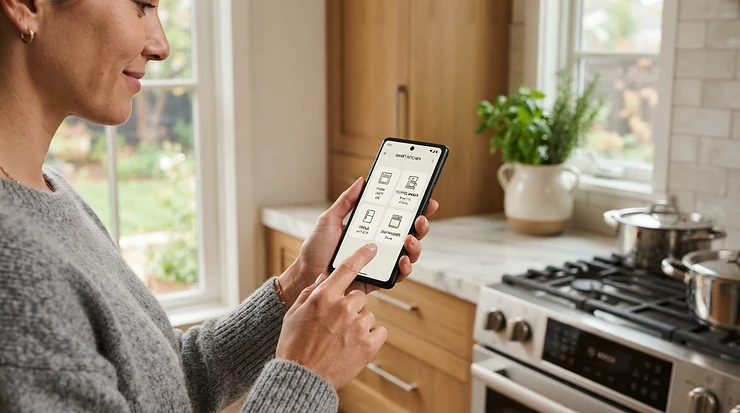
A WiFi dishwasher with remote start is a dishwasher that connects to your home network and pairs with a smartphone app. You can start, pause, delay and monitor cycles from anywhere. Most models also send alerts when a cycle ends or something goes wrong, and some work with voice assistants.
Picture it. You’re halfway to work and realize last night’s dishes are still sitting there, glaring at you. A good WiFi dishwasher with remote start turns that moment into a five-second thumb tap.
But here’s the catch, and I’ll be blunt about it: the label “smart” covers a huge range of quality. <br>Consumer Reports notes that only about 35 percent of dishwasher models have WiFi, and that a connected model averaged roughly $1,135 in 2025 versus about $1,011 for a regular one. That premium is small. The headaches can be bigger if you pick wrong.
This guide is built on spec comparisons, manufacturer and support documentation, and aggregated owner feedback. I haven’t personally tested any of these machines, so nothing below is a hands-on claim. You’ll see seven real models, a plain-English breakdown of 2.4 GHz vs. 5 GHz WiFi compatibility, how remote start and delay start really differ, what to expect from firmware updates, and how to approach Cyber Monday smart dishwasher deals without getting played. Prices are given as ranges only, so check current pricing before you buy.
Quick Comparison: 7 WiFi Dishwashers With Remote Start
| Model | Type | Smart Platform | Standout Trait | Price Range* | Best For |
|---|---|---|---|---|---|
| Samsung DW80B7070US Bespoke | Built-in | SmartThings | Quiet, feature-rich | Upper mid-range | Design-minded households |
| Samsung DW80B6060US | Built-in | SmartThings | Energy Star Most Efficient | Mid-range | Efficiency-focused buyers |
| LG ADFD5448AT | Built-in | LG ThinQ | QuadWash cleaning | Mid-range | Big families |
| LG LDNTH862S | Built-in, top control | LG ThinQ | Quiet operation | Mid-range | Open-plan kitchens |
| Café CDP888M5VS5 | Built-in | Café/SmartHQ-style app | Stainless interior, steam | Premium | Kitchen remodels |
| GE Profile Countertop WiFi | Countertop | SmartHQ | Energy Star, 6 place settings | Lower to mid | Small households |
| BLITZHOME Countertop WiFi | Countertop | Brand app | 5L tank, no plumbing | Budget | Renters, RVs |
*Ranges are general market brackets at the time of research. Prices vary, so check current price.
Look at the table and one pattern jumps out. The two Samsung models and the two LG models sit in the mid-range built-in lane, where the real fight is quietness versus cleaning power. The Café CDP888M5VS5 is the splurge. The two countertop units, GE Profile Countertop WiFi and BLITZHOME Countertop WiFi, exist for people who can’t or won’t plumb a new machine in. If you rent, start with the countertop pair. If you own and are remodeling, start with the built-ins.
💬 Just one click — help others make better buying decisions too!😊
Top 7 WiFi Dishwashers With Remote Start: Expert Analysis
1. Samsung DW80B7070US Bespoke — quiet, connected, and design-forward
Plenty of dishwashers shout about their features. The Samsung DW80B7070US Bespoke mostly whispers. Retailer listings for the Bespoke line cite operation around 42 dBA, which is the zone where you can run a cycle during dinner conversation without raising your voice.
On the smart side, it uses Wi-Fi for remote control and scheduling, plus Delay Start, Heated Dry and Sani Rinse. That last one matters for baby bottles and cutting boards. The SmartThings app lets you start, stop and delay cycles, which gives you a practical remote start and delay start combo.
On paper, this is the pick for households that want a dishwasher that disappears into the kitchen, both visually and acoustically. Reviewers across retail listings and owner forums generally praise the quiet running. Some owners of Samsung’s smart dishwashers report fiddly WiFi onboarding. That’s usually a router issue (more on that below), not a hardware flaw.
Pros:
- ✅ Very quiet for open-plan kitchens
- ✅ Delay Start and Sani Rinse included
- ✅ SmartThings control for remote start
Cons:
- ❌ WiFi setup demands 2.4 GHz and WPA2
- ❌ Priced above basic smart models
Expect an upper mid-range price. Value verdict: worth it if noise bothers you.

2. Samsung DW80B6060US — Energy Star Most Efficient with AI Energy mode
If the electric bill is your villain, meet the Samsung DW80B6060US. It’s rated at 239 kWh per year, carries the ENERGY STAR Most Efficient designation, and runs about 44 dBA.
The standout is SmartThings Energy. Samsung claims its AI Energy mode can cut energy use by up to 30%, by lowering main wash and rinse temperatures and stretching cycle times. Treat that as a manufacturer claim measured against factory settings, not a guaranteed saving on your bill.
It offers a 1-24 hour delay start, and the app can remotely start, stop or delay cycles. The StormWash+ system aims to handle dishes without heavy pre-rinsing. Here’s the reasoning: a longer, cooler cycle trades speed for savings, which suits an overnight run, not a “guests arrive in an hour” emergency.
Aggregated reviews of Samsung’s smart dishwashers lean positive on cleaning, with the recurring complaint being WiFi pairing friction rather than wash results.
Pros:
- ✅ Energy Star Most Efficient rating
- ✅ Wide 1-24 hour delay window
- ✅ Remote start, stop and delay in app
Cons:
- ❌ Slightly louder than the Bespoke
- ❌ AI Energy mode can lengthen cycles
Mid-range pricing. Value verdict: strong for efficiency-minded buyers.
3. LG ADFD5448AT — QuadWash power for big loads
Big family, big mess. The LG ADFD5448AT is a front-control, Wi-Fi-enabled model built around LG’s QuadWash spray system, which uses multiple moving spray arms to hit dishes from different angles.
LG’s ThinQ app handles the connected features. A detail worth knowing: LG’s own support guidance states that only a 2.4 GHz connection is supported, and models carrying the NFC “Tag On” logo work with Android phones only and don’t use WiFi at all. Check that your exact model has real WiFi before you buy.
Based on the spec direction, this suits crowded households that run the machine daily and want the app to confirm the cycle finished while they’re upstairs. The front-control design also keeps the buttons visible, which some people prefer to hidden top controls.
Reviewers of LG smart appliances commonly mention strong cleaning, and LG’s reputation on app ecosystem is generally good. Specific review counts for this model weren’t something I could verify, so I won’t quote any.
Pros:
- ✅ QuadWash spray design for big loads
- ✅ ThinQ app monitoring and alerts
- ✅ Front controls are easy to read
Cons:
- ❌ Requires a 2.4 GHz network
- ❌ Confirm WiFi (not NFC-only) before buying
Mid-range pricing. Value verdict: great for families.
4. LG LDNTH862S — top-control quiet pick
Top controls are the stealth move. The LG LDNTH862S hides its panel along the door’s upper edge, so a closed door looks clean and uninterrupted. It has been singled out in a 2026 roundup as a quiet option among built-ins.
Hidden controls come with a trade-off most spec sheets skip. You can’t glance at a cycle status without opening the door, which makes the app more than a gimmick. If the app tells you “35 minutes left,” you won’t need to crack the door open and release steam.
It shares LG’s ThinQ ecosystem and 2.4 GHz requirement. If your router combines bands under one name, create a separate 2.4 GHz network before setup.
Who’s it for? Open-plan kitchens where the dishwasher is visible from the sofa. Owners generally describe LG’s quiet models as unobtrusive, though I couldn’t verify review volume for this specific model.
Pros:
- ✅ Clean, hidden-control look
- ✅ Quiet operation for open layouts
- ✅ App fills the status-check gap
Cons:
- ❌ Must open door to see panel
- ❌ Needs 2.4 GHz WiFi
Mid-range pricing. Value verdict: pays off in quiet, open spaces.
5. Café CDP888M5VS5 — premium stainless interior with steam
When the kitchen budget is already stretched to the moon, the Café CDP888M5VS5 fits right in. It’s a premium smart dishwasher with a stainless steel interior, steam cleaning, multiple wash cycles and remote operation.
Why does a stainless tub matter? Stainless tends to hold heat well and resist staining, so drying performance and long-term looks usually benefit. Steam cleaning targets baked-on residue that a standard cycle may leave behind.
The connected side lets you start and monitor from your phone. The analysis angle: at this price, the smart features are the smallest reason to buy. You’re paying for build, finish and the interior. If you only want remote start, you’ll overspend.
Premium dishwashers attract more “worth it?” debates in owner discussions, with praise for finish and complaints about price. That’s a pattern, not a verified rating.
Pros:
- ✅ Stainless interior holds heat
- ✅ Steam helps with stuck-on grime
- ✅ Phone control and monitoring
Cons:
- ❌ Premium price for the smart features alone
- ❌ Overkill if you only want remote start
Premium pricing, typically well above mid-range. Value verdict: only if finish and build matter.

6. GE Profile Countertop WiFi — Energy Star compact with SmartHQ
Not everyone has a plumbed dishwasher spot. The GE Profile Countertop WiFi is a small unit rated ENERGY STAR with six place settings and six wash cycles, controlled via the SmartHQ app.
Six place settings roughly suit one or two people. That’s the honest sizing note. It won’t handle a holiday dinner for twelve.
The app’s biggest value shows up when the unit lives in a back hallway or awkward spot. Alerts are genuinely useful when you can’t hear or see the machine. GE’s connected appliances use a “Remote Enable” setup step, and holding the WiFi button for about three seconds is commonly the pairing trigger.
For apartment dwellers who want brand-name support, this is a more established option than generic units. Reviewer sentiment on countertop dishwashers generally highlights convenience and notes that capacity limits are the trade-off.
Pros:
- ✅ Energy Star certified compact design
- ✅ SmartHQ alerts and control
- ✅ No built-in cabinet space needed
Cons:
- ❌ Only six place settings
- ❌ Limited for large households
Lower to mid pricing. Value verdict: solid for small spaces.
7. BLITZHOME Countertop WiFi — budget app control, no plumbing
For tight budgets and tighter spaces, the BLITZHOME Countertop WiFi is the underdog. Its built-in 5-liter tank means no faucet hookup is required, which makes it a rare fit for dorms, RVs and boats.
Through the app you can start, pause and monitor cycles, schedule a delayed start and toggle the child lock. That covers the basics of a WiFi dishwasher with remote start without the built-in price tag.
Think about the real-world implication of a 5-liter tank: it’s best for one or two people, and you’ll refill manually. That’s a convenience cost you pay for flexibility.
Roundups call it a value pick for app control. Review counts and ratings vary across listings, so I’m not stating a rating. Check current reviews before buying, and confirm the app experience matches your expectations.
Pros:
- ✅ Works without plumbing hookup
- ✅ Start, pause and schedule from app
- ✅ Child lock built in
Cons:
- ❌ Small 5L capacity for one or two people
- ❌ Manual tank refills required
Budget pricing. Value verdict: great for renters.
How to Choose a WiFi Dishwasher With Remote Start
Choosing doesn’t need a spreadsheet. Work through these steps in order:
- Check your router first. If your network can’t offer a 2.4 GHz band, a WiFi dishwasher with remote start will frustrate you. Fix the network or pick a different plan.
- Confirm what “remote start” means. Many models require you to press a Remote Enable or Remote Start button on the machine first. That’s a safety step, not a flaw.
- Decide built-in versus countertop. Owners can go built-in. Renters usually can’t.
- Match capacity to household size. Six place settings serve one or two people. Families need full-size.
- Pick your ecosystem. SmartThings, ThinQ, SmartHQ and Home Connect each have different app quirks and voice assistant support.
- Weigh noise. A model around 42 dBA feels dramatically calmer than a louder one in an open kitchen.
- Check Energy Star. The ENERGY STAR dishwasher program lists certified models, which helps with long-term running costs.
Skip any step and the “smart” part becomes a smart-looking paperweight.

2.4 GHz vs. 5 GHz WiFi Compatibility: The Setup Guide That Saves Your Sanity
Here’s where most smart dishwashers go sideways. The 2.4 GHz vs. 5 GHz WiFi compatibility question decides whether setup takes ten minutes or ruins a Saturday.
In general terms, the 2.4 GHz band travels farther and handles walls better, while 5 GHz is faster over shorter distances. Dishwashers don’t need speed. They need reach. That’s why manufacturers lean on 2.4 GHz, and why support pages from LG, Samsung and Bosch’s Home Connect all point there.
LG’s official troubleshooting guidance says plainly that only a 2.4 GHz connection is supported and, if you have a dual-band router, to pick the 2.4 GHz network name during setup. Samsung community threads add two more rules owners repeatedly cite: WPA2 only, and a split SSID instead of a combined one.
A practical setup routine:
- Split your router’s bands into two names (for example “Home” and “Home-2.4”).
- Put your phone on the 2.4 GHz name for the pairing process.
- Open the dishwasher door; many smart dishwashers hide connectivity buttons on the door’s top edge.
- Start pairing from the dishwasher first, then open the app.
- After success, reconnect your phone to your usual network.
Bosch’s Home Connect pairing uses a temporary network that, per technician guides, broadcasts only for about five minutes. If it vanishes, restart the process rather than waiting.
One more thing: built-in dishwashers sit inside a metal-and-wood cabinet, which weakens signal. If setup keeps failing, a cheap WiFi extender placed near the kitchen can help.
Remote Start and Delay Start: What’s the Difference?
These two features get confused constantly, yet remote start and delay start do very different jobs.
Delay start is a timer. You load the dishwasher, pick a delay (for example, 1 to 24 hours on the Samsung DW80B6060US), and the cycle begins later. Great for overnight runs or off-peak electricity hours if your utility charges time-of-use rates.
Remote start is a trigger. The dishwasher is loaded and waiting. You tap your phone and it starts now, from the couch, the office or the airport.
The catch most spec sheets bury: many brands require a Remote Enable or Remote Start press on the machine itself before each cycle. Whirlpool’s own wording is “when set to remote enable,” and Bosch Home Connect troubleshooting advice says the app can monitor a dishwasher but cannot run it until Remote Start is switched on at the panel. That’s an intentional safeguard, because no one wants a machine kicking on with the door ajar or an empty tub. Consumer Reports adds that you may need to go into app settings to enable control outside your home WiFi network.
In practice, the combination wins. Load after dinner, set a delay, and use the app as a safety net if plans change.
Best Smart Dishwasher That Works With Alexa and Google Assistant
Shoppers search for the best smart dishwasher that works with Alexa and Google Assistant because voice control feels like the finish line. The truth is more nuanced.
Roundups describe smart dishwashers as pairing with the app and voice assistants such as Amazon Alexa, Google Home or Samsung SmartThings. Some retailer listings also label Whirlpool models as “voice controlled,” and Bosch markets voice start via Home Connect. But “works with” isn’t identical across brands. Voice commands often cover simple actions (start, pause, ask status), while advanced settings stay in the app.
My analysis, based on platform design: Samsung SmartThings and LG ThinQ generally publish voice assistant integrations, which is why the Samsung DW80B6060US, the Samsung DW80B7070US Bespoke and the LG ADFD5448AT are sensible starting points. Still, confirm the exact model’s voice support on the manufacturer’s page. Integrations get added and retired over time, and I can’t verify current support for every model.
A quick test before buying: search the model number plus “Alexa” and “Google Assistant” on the manufacturer’s support site. Then check whether voice start also needs the physical Remote Enable step. For many models it does, which means a voice command alone can’t start a dishwasher you haven’t prepped.
Firmware Updates: What to Expect From a Connected Dishwasher
Nobody thinks about firmware updates until something breaks. Yet a dishwasher with WiFi is a small computer wearing a stainless steel jacket.
Updates typically arrive through the manufacturer’s app. They can fix connectivity bugs, improve app compatibility, tighten security and occasionally tweak cycle behavior. Based on how connected appliances generally work, here’s what’s worth knowing:
- Keep the dishwasher on WiFi. A disconnected unit can’t receive anything.
- Update the app, too. App and appliance versions need to stay in sync.
- Treat support length as a buying factor. A brand that supports its platform for years matters more than a flashy launch feature.
I can’t verify exact update policies for each model above, so check the manufacturer’s support page before purchase. Remember that a smart feature depends on a cloud service. If the company retires an app, features can fade. That’s rare, but it’s the quiet cost of “smart.”
The honest bottom line: dishwashing still works without WiFi. The convenience layer is the part that can age.
Cyber Monday Smart Dishwasher Deals: How to Shop Without Getting Burned
It’s October 2026 as I write this, and Cyber Monday lands on November 30. Appliance deals typically start well before that. So here’s how to approach Cyber Monday smart dishwasher deals with a clear head.
- Shortlist now. Pick two or three models from this list before sale season. Deals pressure you to guess.
- Track a model number, not a brand. Retailers often sell near-identical variants with different model numbers, which makes price comparisons slippery.
- Verify the smart features. A cheaper sibling may drop WiFi. Always confirm the exact model includes it.
- Watch for discontinued stock. Some retailers list older models, like certain Whirlpool WDT975 variants, as discontinued. A “deal” on a retiring model can mean shorter app support.
- Count delivery and install. Installation fees can erase a discount fast.
- Check current price before buying. Prices change often, so confirm at checkout.
Don’t assume any specific product will be “on sale.” Deals vary, and nothing here promises a discount. Be skeptical of any claim that buying through a particular link yields a better price. It doesn’t.
✨ Don’t Miss These Exclusive Deals!
🔍 Take your kitchen to the next level with these carefully selected products. Click on any highlighted item to check current pricing and availability. These smart picks will help you create a routine that actually saves you time!

WiFi Dishwasher vs. Regular Dishwasher: Is the Upgrade Worth It?
Let’s cut through the hype. What does a WiFi dishwasher with remote start give you that a regular one doesn’t?
| Feature | WiFi Dishwasher | Regular Dishwasher |
|---|---|---|
| Remote start | Yes (often requires enable step) | No |
| Cycle alerts | Yes | Beep only |
| Leak or fault notifications | Often | Rare |
| Remote diagnostics | Often | No |
| Price premium | Modest | Baseline |
| Failure points | App, WiFi board | Fewer |
The real-world takeaway: the biggest wins are alerts and leak notifications, particularly when the machine runs overnight or sits somewhere you rarely visit. Repair-industry guidance suggests leak detection alerts are among the most genuinely useful smart features, alongside off-peak scheduling. The drawback is more electronics to potentially fail.
If you’re already planning to buy a mid-range model, the smart upgrade usually costs little. If you’re hunting the cheapest option and never leave the house, skip it.
Real-World Scenarios: Matching a WiFi Dishwasher With Remote Start to Your Life
Scenario 1: The busy family of five. Daily full loads, a kitchen that’s never quiet, a router upstairs. The LG ADFD5448AT suits the load size and QuadWash design, while the Samsung DW80B6060US helps if energy use is the worry. Budget: mid-range. Frequency: daily.
Scenario 2: The renter in a one-bedroom apartment. No plumbing access, one person, a few dishes a day. The GE Profile Countertop WiFi gives brand-backed support. The BLITZHOME Countertop WiFi wins if cost is the priority. Budget: lower. Frequency: daily, small loads.
Scenario 3: The remodeler with an open-plan kitchen. Noise and looks matter more than anything. The Samsung DW80B7070US Bespoke, the LG LDNTH862S or the Café CDP888M5VS5 fit this brief. Budget: mid to premium. Frequency: daily.
Notice the pattern: lifestyle beats feature lists. A fancy model matched to the wrong kitchen feels worse than a modest one matched to the right one.
Problem → Solution Guide for Smart Dishwasher Headaches
Problem 1: The dishwasher won’t appear during pairing.
Likely cause: a combined 2.4/5 GHz network name steering the dishwasher to 5 GHz. Solution: create a separate 2.4 GHz network and keep your phone on it during setup.
Problem 2: It’s connected, but the app won’t start a cycle.
Likely cause: Remote Start or Remote Enable is switched off at the panel. Solution: enable it on the machine, confirm the door is latched, then try again.
Problem 3: The Samsung model rejects the network.
Community reports point to WPA2-only requirements. Solution: set the router to WPA2 (not WPA2/WPA3 mixed) for the 2.4 GHz network temporarily.
Problem 4: Signal drops intermittently.
Cabinets weaken signal. Solution: move the router closer or add an extender in the kitchen.
Problem 5: The app shows an error but the dishwasher is online.
Technician guidance suggests the fault may be in the appliance itself, with the app only relaying it. Solution: check the manual’s error code list and contact support.
When in doubt, restart the dishwasher, restart the router and retry. Boring, yes. Effective, also yes.
Long-Term Cost and Maintenance of a Smart Dishwasher
Sticker price is only chapter one. Total cost of ownership includes energy, water, detergent, repairs and how long the smart features stay supported.
Energy first. A model like the Samsung DW80B6060US, rated at 239 kWh per year with the Most Efficient mark, can cost less to run than a basic unit. How much less depends on local electricity rates and usage, so I won’t promise a dollar figure.
Repairs next. Technician guides note that smart dishwashers add components, such as a separate WiFi board on some LG models and leak-sensor hardware on Samsung and Bosch lines. More parts mean more possible failures, though also earlier warnings.
Maintenance stays familiar: clean the filter regularly, run an occasional cleaning cycle, check spray arms and wipe the gasket. Keep the app and firmware current.
Value reasoning: if smart features add modest cost and you’ll use alerts or remote start weekly, they pay for themselves in convenience. If you’ll never open the app, you’re paying for a feature you ignore.
Common Mistakes When Buying a WiFi Dishwasher With Remote Start
- Assuming 5 GHz works. It usually doesn’t. Always plan for 2.4 GHz.
- Ignoring the Remote Enable step. Many models need a physical press first. Buyers expecting true “start from anywhere” sometimes feel misled.
- Buying a non-WiFi sibling. Near-identical model numbers can differ on connectivity. Verify the exact SKU.
- Chasing the lowest deal. Discontinued stock can mean shorter support.
- Skipping voice support checks. “Works with Alexa” varies by model and over time.
- Forgetting the install. Delivery, hookup and haul-away fees can add up.
- Overbuying features. Many buyers use only three smart functions: alerts, remote start and energy tracking. Pay for those, not a long feature list.
FAQ: WiFi Dishwasher With Remote Start
❓ Can I start a WiFi dishwasher from anywhere?
❓ Do smart dishwashers work on 5 GHz WiFi?
❓ Are smart dishwashers worth the extra cost?
❓ What happens to my smart dishwasher if WiFi goes down?
❓ Is a countertop WiFi dishwasher good for renters?
Conclusion: The Smartest Way to Pick a WiFi Dishwasher With Remote Start
Here’s the short version. A WiFi dishwasher with remote start is worth buying when you’ll use the alerts, the delay timer and the app trigger. It isn’t worth paying a big premium for if you’d never open the app.
Match the machine to your life. The Samsung DW80B6060US is the efficiency play. The Samsung DW80B7070US Bespoke and LG LDNTH862S favor quiet. The LG ADFD5448AT handles big households. The Café CDP888M5VS5 is for premium kitchens. The GE Profile Countertop WiFi and BLITZHOME Countertop WiFi serve renters and small spaces.
Before any purchase, check three things: your 2.4 GHz network, the exact model’s voice support if you care about Alexa or Google Assistant, and the manufacturer’s firmware updates policy. Then, when Cyber Monday smart dishwasher deals roll in, you’ll be ready to act instead of react.
✨ Ready to upgrade your kitchen routine?
🔍 Click through the picks above, check current pricing and availability, and choose the WiFi dishwasher with remote start that fits your home. Your future self, phone in hand, will thank you!
Recommended for You
- Compact Dishwasher For RV And Travel Trailer: 7 Best Picks 2026
- Countertop Dishwasher For Small Apartments: 7 Best Picks 2026
- Best Portable Dishwasher For Family Of Four: 7 Honest Picks (2026)
Disclaimer: This article contains affiliate links. As an Amazon Associate, I earn from qualifying purchases. If you purchase products through these links, we may earn a small commission at no additional cost to you.
✨ Found this helpful? Share it with your friends! 💬🤗
