
In This Article
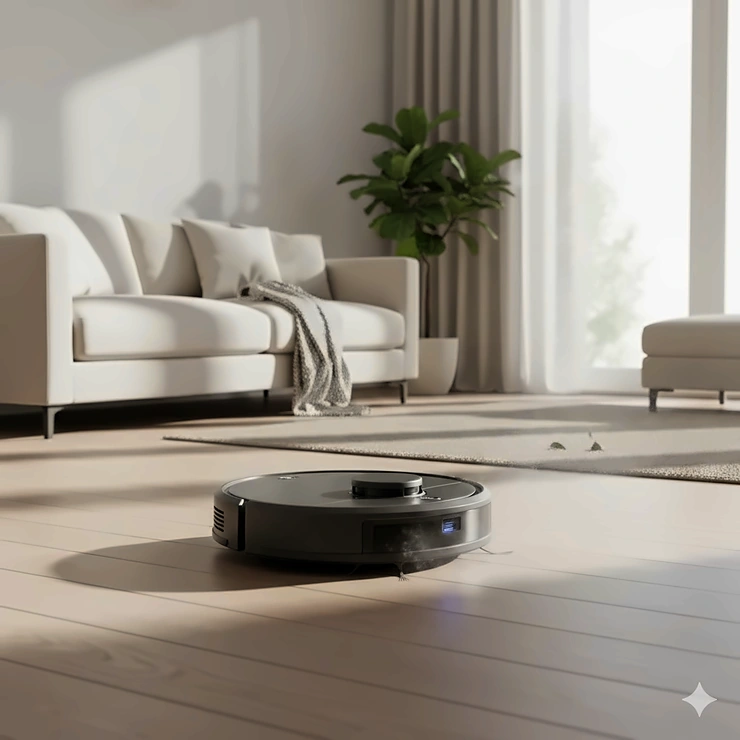
Ever found yourself staring at pet hair tumbleweeds rolling across your floor while you’re trying to enjoy your morning coffee? You’re definitely not alone in that struggle. The best robot vacuum can transform your daily cleaning routine from a tedious chore into something that happens automatically while you’re binge-watching your favorite show or running errands around town.
I’ve spent countless hours testing these little cleaning robots, watching them navigate around furniture legs, tackle stubborn debris, and yes—sometimes get hilariously stuck under the couch. What started as simple curiosity turned into genuine fascination with how far this technology has come since the Electrolux Trilobite first appeared in 1996.
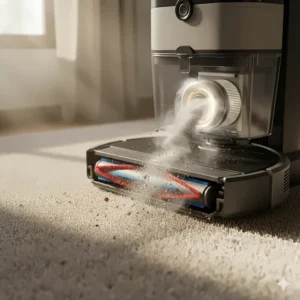
Today’s machines aren’t just bumping around randomly anymore. They’re equipped with laser navigation, obstacle avoidance cameras, self-emptying stations, and even mopping capabilities that rival manual cleaning. Whether you’re dealing with pet hair from your golden retriever, crumbs from toddler snack time, or just everyday dust accumulation, there’s a robot vacuum designed specifically for your needs and budget.
Quick Comparison Table
| Robot Vacuum Model | Suction Power | Key Feature | Price Range | Best For |
|---|---|---|---|---|
| Roborock Saros 10R | 22,000 Pa | Ultra-slim 3.14″ design | $1,099-$1,599 | Premium performance |
| Ecovacs Deebot X9 Pro Omni | 16,600 Pa | OZMO roller mop | $699-$999 | Best mopping |
| eufy X10 Pro Omni | 8,000 Pa | All-in-one station | $699-$799 | Mid-range value |
| MOVA P10 Pro Ultra | 13,000 Pa | Budget flagship features | $500-$600 | Best value |
| Dreame L40 Ultra | 11,000 Pa | Extending side brush | $599-$899 | Versatile cleaning |
| iRobot Roomba 105 | Strong suction | LiDAR navigation | $279-$449 | Reliable brand |
| eufy Robot Vacuum 11S MAX | 2,000 Pa | Ultra-thin budget option | $200-$300 | Entry-level |
💬 Just one click – help others make better buying decisions too! 😊
✨ Don’t Miss These Exclusive Deals!
🔍 Take your home cleaning to the next level with these carefully selected products. Click on any highlighted item to check current pricing and availability. These tools will help you create authentic spotless floors your family will love!
Top 7 Best Robot Vacuum: Expert Analysis
1. Roborock Saros 10R – The Ultra-Slim Powerhouse
If you want the absolute cutting-edge in robot vacuum technology, the Roborock Saros 10R deserves serious consideration. This machine represents what happens when engineers obsess over every tiny detail.
Key Specifications:
- 22,000 Pa HyperForce suction (most powerful tested)
- StarSight Autonomous System 2.0 with 3D ToF sensors
- 3.14-inch ultra-slim profile (glides under most furniture)
The Roborock Saros 10R features advanced VertiBeam lateral obstacle avoidance that navigates around cables and irregular furniture with remarkable precision. Unlike bulky traditional models, this robot eliminates the raised LiDAR tower entirely, giving it unprecedented access to hard-to-reach spaces under beds, sofas, and cabinets.
Real customer feedback consistently praises the flawless obstacle avoidance and accurate mapping capabilities. One user mentioned it earned perfect scores in professional evaluations, becoming the first robot vacuum to achieve that milestone. The self-washing station uses hot water at 176°F and features intelligent dirt detection that adjusts cleaning intensity automatically.
Pros:
✅ Perfect obstacle avoidance performance
✅ Reaches incredibly tight spaces
✅ Zero-tangling brush system
Cons:
❌ Premium pricing ($1,099+)
❌ Small 270ml dust bin capacity
2. Ecovacs Deebot X9 Pro Omni – The Mopping Champion
When you need sparkling clean hard floors with minimal effort, the Ecovacs Deebot X9 Pro Omni stands in a class of its own. This isn’t just another vacuum-mop combo—it’s a complete floor care system.
Key Specifications:
- 16,600 Pa BLAST airflow suction
- OZMO Roller with instant self-washing
- Triple Lift System (mop, side brush, main brush)
What makes this model exceptional is its roller mop technology that continuously cleans itself during operation, preventing dirty water from spreading across your floors. The ZeroTangle 3.0 system features a V-shaped roller design that handles long pet hair without getting clogged, while the AI-driven AIVI 3D 3.0 navigation masters complex layouts and avoids obstacles even in low light conditions.
Customer reviews highlight the automatic wet mop mode that intelligently shuts off side brushes while mopping to prevent smearing. The OMNI Station handles everything—washing mop pads with heated water, drying them completely, and automatically refilling cleaning solution for up to 150 days of hands-free operation.
Pros:
✅ Superior mopping with self-cleaning roller
✅ Excellent carpet and hard floor performance
✅ 150-day automated maintenance
Cons:
❌ Higher price point
❌ Requires space for large docking station
3. eufy X10 Pro Omni – The All-Around Performer
Looking for a sweet spot between features and affordability? The eufy X10 Pro Omni delivers flagship-level performance without the eye-watering price tag that often comes with premium models.
Key Specifications:
- 8,000 Pa powerful suction
- MopMaster 2.0 with dual rotating mops
- 12mm auto-lift for carpet detection
The eufy X10 Pro Omni features AI.See Smart Cleaning technology that detects over 100 different objects, from charging cables to children’s toys, ensuring seamless cleaning day or night. Its Pro-Detangling Roller Brush automatically removes tangled pet hair, making it particularly effective for multi-pet households.
Users appreciate the all-in-one station that washes mop pads with 45°C heated air drying, while the 2.5L dust bag only needs replacing every two months. The 3L clean water tank efficiently handles areas up to 2,000 square feet multiple times before refilling. One reviewer mentioned switching from a mid-range competitor specifically because of this model’s superior object avoidance and value proposition.
Pros:
✅ Advanced AI obstacle avoidance
✅ Comprehensive all-in-one station
✅ Excellent price-to-performance ratio
Cons:
❌ Operates only on 2.4GHz Wi-Fi
❌ Mop performance slightly behind roller systems
4. MOVA P10 Pro Ultra – The Value Flagship
Here’s where things get interesting. The MOVA P10 Pro Ultra is essentially a flagship-level robot vacuum sold at mid-range pricing, making it one of the most compelling options available in 2025.
Key Specifications:
- 13,000 Pa powerful suction
- Extendable side brush and mop (reaches 4cm deep)
- 10.5mm mop lift for carpet protection
Independent testing by Vacuum Wars ranked the MOVA P10 Pro Ultra as the #1 most loved robot vacuum on Amazon with exceptionally low one-star review percentages. This model closely mirrors the premium Dreame L40 Ultra in features and performance but costs $200-400 less.
Customer experiences reveal impressive versatility—one user with 50% carpets and 50% hardwood floors mentioned canceling their eufy order specifically to purchase this model after discovering its flagship-caliber features. The hot water mop washing reaches 140°F while the 360° obstacle avoidance handles cluttered rooms with ease. Real-world testing shows it handles pet hair tumbleweeds without clogging or tangling.
Pros:
✅ Flagship features at mid-range pricing
✅ Exceptional value proposition
✅ Strong customer satisfaction ratings
Cons:
❌ Newer brand with less long-term reliability data
❌ Some concerns about hardware longevity
5. Dreame L40 Ultra – The Feature-Packed Contender
The Dreame L40 Ultra brings serious innovation to the table with its extending brush technology and impressive multi-surface cleaning capabilities that adapt intelligently to different floor types throughout your home.
Key Specifications:
- 11,000 Pa Vormax suction
- TriCut 3.0 anti-tangle brush system
- Side brush extends for edge cleaning
What sets the Dreame L40 Ultra apart is its intelligent floor detection system that automatically identifies carpet, tile, and wood floors, then adjusts cleaning methods accordingly. The spinning mop pads automatically extend to reach corners and hard-to-access spaces while lifting more than 10mm off the ground to prevent cross-contamination on carpets.
Professional reviewers note the PowerDock auto-empties for up to 100 days, washes pads with 75°C hot water, provides hot-air drying, and auto-cleans the washboard. For pet owners, it recognizes pet area objects like food bowls and litter boxes, allowing customized cleaning patterns. The live video monitoring with two-way audio lets you check on pets remotely, adding unexpected value beyond just cleaning.
Pros:
✅ Intelligent multi-surface adaptation
✅ Excellent corner and edge coverage
✅ Pet-friendly recognition features
Cons:
❌ Mid-range pricing ($599-899)
❌ No manual control option in app
6. iRobot Roomba 105 – The Trusted Name
Sometimes you just want a reliable robot vacuum from a brand that invented the category. The iRobot Roomba 105 represents decades of refinement in robotic cleaning technology with straightforward operation and dependable performance.
Key Specifications:
- Intense power-lifting suction
- LiDAR navigation for precise mapping
- Multi-surface cleaning brushes
The Roomba 105 focuses on doing the fundamentals exceptionally well rather than cramming in every possible feature. It cleans in neat, methodical rows using advanced LiDAR navigation, ensuring complete floor coverage without random patterns. The multi-surface brushes adapt automatically to different floor types, while the vacuum returns to its charging base when the battery runs low.
While iRobot recently filed for Chapter 11 bankruptcy with plans for acquisition by Picea Robotics, the company committed to supporting existing products throughout the transition. Long-time Roomba users appreciate the brand’s proven track record, extensive replacement part availability, and responsive customer service when issues arise.
Pros:
✅ Established brand reliability
✅ Straightforward, user-friendly operation
✅ Proven multi-surface performance
Cons:
❌ Company undergoing ownership transition
❌ Fewer advanced features than competitors
7. eufy Robot Vacuum 11S MAX – The Budget Champion
Not everyone needs every bell and whistle. The eufy Robot Vacuum 11S MAX proves that effective automated cleaning doesn’t require breaking the bank or sacrificing quality for affordability.
Key Specifications:
- 2,000 Pa suction with BoostIQ Technology
- Ultra-slim 2.85″ profile
- 100-minute runtime on hardwood floors
The eufy 11S MAX operates with impressive quietness at a noise level similar to a microwave, making it perfect for apartments or homes where you don’t want to disturb sleeping children or working family members. Its BoostIQ Technology automatically increases suction power within 1.5 seconds when transitioning to carpets or detecting higher dirt levels.
Customer feedback highlights the excellent value proposition—one reviewer mentioned using it daily for light maintenance cleaning, which significantly reduces how often they need to pull out their full-size vacuum. The anti-scratch tempered glass-top cover, infrared obstacle sensors, and drop-sensing technology ensure safe operation. Note that this model doesn’t support WiFi or app connectivity; all operations use the included remote control.
Pros:
✅ Exceptional price point ($200-300)
✅ Ultra-quiet operation
✅ Simple, reliable functionality
Cons:
❌ No WiFi or app control
❌ Basic navigation compared to premium models
Understanding Smart Navigation Technology
Modern robot vacuum navigation has evolved dramatically from the random “bump-and-go” patterns of early models. Today’s best performers use sophisticated mapping systems that would make autonomous vehicle engineers jealous.
LiDAR vs Camera-Based Navigation
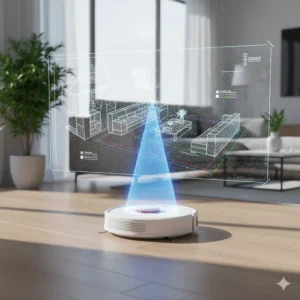
LiDAR (Light Detection and Ranging) technology works similarly to how bats navigate using echolocation. The sensor continuously scans the environment, measuring distances to create detailed floor plans. This approach excels in low-light conditions and provides consistent accuracy regardless of room decoration or lighting changes.
Camera-based systems, on the other hand, use visual recognition similar to how humans navigate. Advanced models like the Roborock Saros 10R combine both technologies—using 3D ToF (Time-of-Flight) sensors for broad environmental scanning while employing RGB cameras for detailed object recognition. This hybrid approach enables them to distinguish between a dropped sock and a pet waste incident, adjusting behavior accordingly.
Obstacle Avoidance Evolution
First-generation robots simply bumped into objects and changed direction. Second-generation models added infrared sensors to detect obstacles before impact. Today’s third-generation systems use AI-powered visual recognition that can identify specific objects, categorize them, and make intelligent decisions about navigation paths.
The implications are significant for daily use. Older models might drag your phone charging cable across the room or spread pet accidents around your floor. Modern systems recognize these hazards and route around them, sometimes even sending you smartphone notifications about what they encountered.
Automatic Dirt Disposal: Worth the Investment?
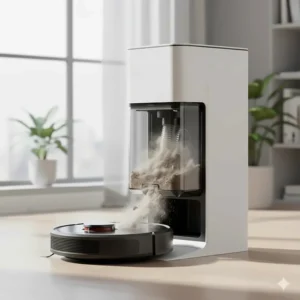
Self-emptying base stations represent one of the most significant convenience upgrades in robot vacuum technology. Instead of emptying the dustbin after each cleaning session, these systems transfer debris from the robot to a larger bag or bin in the charging dock.
How Auto-Empty Stations Work
When the robot returns to its charging station, a powerful vacuum motor creates suction that pulls debris from the robot’s small dustbin into the larger dock container. Most systems use sealed bags that trap particles effectively, preventing dust from escaping back into your air during the transfer process.
Premium models like the Ecovacs X9 Pro Omni and eufy X10 Pro Omni go further by also washing and drying mop pads automatically. The stations heat water to temperatures reaching 176°F, scrub the mop attachments clean, then use heated air drying to prevent mildew and odors.
Capacity and Maintenance Intervals
Base station capacities typically range from 30 to 150 days of normal operation before requiring bag replacement or bin emptying. Actual intervals depend heavily on your household—pet owners with shedding dogs might empty weekly, while single occupants of small apartments could go months between changes.
Consider the hidden costs: replacement bags typically cost $15-30 for a pack of three to six, adding roughly $30-60 annually to your operating expenses. Bagless models require manual emptying and washing of the dock’s dust container, trading recurring costs for regular maintenance tasks.
Multi-Surface Cleaning Performance Comparison
| Surface Type | Roborock Saros 10R | Ecovacs X9 Pro | eufy X10 Pro | MOVA P10 Pro |
|---|---|---|---|---|
| Hardwood Floors | Excellent | Excellent | Excellent | Very Good |
| Low-Pile Carpet | Excellent | Excellent | Very Good | Very Good |
| High-Pile Carpet | Very Good | Very Good | Good | Good |
| Tile & Grout | Excellent | Excellent | Very Good | Excellent |
| Pet Hair Pickup | Excellent | Excellent | Excellent | Excellent |
Different floor types demand different cleaning approaches, and the best robot vacuum models adapt automatically. Hardwood and tile surfaces benefit from both vacuuming and mopping, while carpets require only suction with appropriately elevated mop pads to prevent moisture damage.
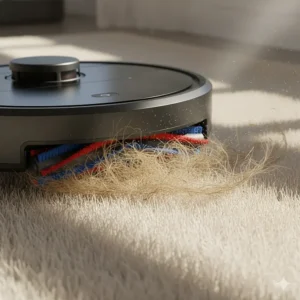
How to Choose the Best Robot Vacuum for Your Home
Selecting the right automated cleaner involves matching specific features to your household’s unique needs and challenges. Here’s a systematic approach to making the smartest choice.
1. Assess Your Floor Types and Square Footage
Start by measuring your home’s total square footage and noting the floor surface distribution. Homes with predominantly hard surfaces (hardwood, tile, laminate) benefit most from vacuum-mop combos with roller or dual-pad mopping systems. Carpet-heavy homes should prioritize high suction power (12,000+ Pa) and adjustable brush height.
2. Evaluate Navigation Requirements Based on Layout
Simple, open floor plans work fine with basic navigation systems. However, multi-level homes with complex furniture arrangements, narrow hallways, or lots of cables absolutely require advanced LiDAR or camera-based mapping. The ability to save multiple floor maps becomes essential if you plan to move the robot between floors.
3. Consider Pet Hair and Allergen Management
Pet owners face unique challenges that demand specific features. Look for anti-tangle brush systems (like ZeroTangle or DuoDivide designs), higher suction power, and HEPA filtration if anyone in your household struggles with allergies. Self-emptying bases become almost mandatory with heavy shedders to prevent constant dustbin maintenance.
4. Determine Your Maintenance Preference and Budget
Self-emptying and self-washing stations add $200-500 to the initial cost but dramatically reduce ongoing maintenance time. If you’re time-poor but budget-flexible, these features deliver excellent value. Conversely, if you’re home often and don’t mind quick daily maintenance, you can save significantly by choosing models without automated docking stations.
5. Match Smart Home Integration to Your Ecosystem
Most modern robot vacuums support Amazon Alexa and Google Assistant voice control. However, if you’ve invested heavily in Apple HomeKit or use Home Assistant for automation, verify compatibility before purchasing. Some models like the Roborock Saros 10R support Matter protocol, ensuring broad smart home ecosystem compatibility.
Robot Vacuum Buying Guide 2026
Battery Life Matters More Than You Think
Marketing materials often tout runtime specifications (90 minutes! 220 minutes!), but what really matters is whether the robot can clean your entire home on a single charge. Fortunately, most modern models solve this elegantly with recharge-and-resume functionality.
Here’s how it works: If the battery depletes mid-cleaning, the robot returns to its dock, charges to 80%, then continues cleaning exactly where it left off. This feature transforms battery capacity from a critical limitation into merely a convenience factor—longer battery simply means fewer charging interruptions.
For reference, a 150-square-meter home with average furniture density typically requires 45-75 minutes to clean thoroughly. Models with 5,200+ mAh batteries easily handle this in one session.
Noise Levels and Cleaning Schedules
Decibel ratings range from whisper-quiet 55dB models (eufy 11S MAX) to more assertive 65-70dB performers with maximum suction engaged. Context matters—65dB approximates normal conversation levels, while 70dB resembles a vacuum cleaner (which, of course, it is).
The practical implication: schedule louder models to run while you’re away from home or in different rooms. Quieter models can operate during Zoom calls or while children nap without causing significant disturbance.
Warranty Coverage and Customer Support Quality
Standard warranties typically cover 12-24 months for robot vacuums, with some premium brands extending to 36 months. However, warranty details matter more than duration alone. Check whether coverage includes battery replacement, which often degrades after 18-24 months of regular use.
Customer support responsiveness varies dramatically between brands. Established companies like iRobot maintain extensive phone support networks, while newer brands sometimes rely primarily on email communication. Read recent customer reviews specifically mentioning warranty claims and support experiences.
✨ Don’t Miss These Exclusive Deals!
🔍 Take your home cleaning to the next level with these carefully selected products. Click on any highlighted item to check current pricing and availability. These tools will help you create authentic spotless floors your family will love!
Understanding Robot Vacuum Specifications
Suction Power: More Isn’t Always Better
Manufacturers love advertising escalating suction specifications—8,000 Pa! 13,000 Pa! 22,000 Pa! While higher numbers generally indicate more powerful motors, the relationship between suction power and cleaning effectiveness isn’t perfectly linear.
Actual cleaning performance depends on multiple factors: brush design, airflow efficiency, dust bin sealing, and how effectively the robot maintains contact with floor surfaces. A well-designed 8,000 Pa system can outperform a poorly implemented 15,000 Pa competitor on certain surfaces.
That said, higher suction undeniably helps with embedded carpet dirt, pet hair extraction from thick rugs, and picking up heavier debris like cereal or kitty litter. If you have medium to high-pile carpeting, target models offering at least 10,000 Pa.
Mopping Systems: Spinning Pads vs Roller Mops
Two distinct mopping technologies dominate the current market. Spinning pad systems (like those on the Dreame L40 Ultra) use circular mop attachments that rotate while the robot moves forward, scrubbing floors through mechanical action combined with moisture.
Roller mop systems (featured on the Ecovacs X9 Pro and newer eufy models) employ a continuous roller similar to a traditional mop, which constantly rotates and self-cleans during operation. Rollers generally provide superior coverage and more consistent moisture distribution, particularly in corners and along edges.
For light maintenance mopping on lightly soiled floors, either system works admirably. For tackling stuck-on messes, dried spills, or sticky residues, roller systems demonstrate measurably better performance in professional testing.
Dustbin and Water Tank Capacities
Robot vacuum dustbins typically range from 270ml (compact models) to 550ml (larger designs). Small bins fill quickly in multi-pet households or when vacuuming after renovation projects, potentially requiring mid-session emptying without auto-empty stations.
Water tank capacities for mopping models range from 200ml to 80ml for clean water (with similar or slightly larger dirty water reservoirs on advanced models). Larger tanks enable covering more square footage per refill but add weight that can impact battery efficiency and threshold-crossing ability.
Common Mistakes When Choosing Robot Vacuums
Overlooking Floor Transition Capabilities
Many homes feature varied flooring materials separated by threshold transitions—the raised strips between rooms or where carpet meets tile. Standard robot vacuums struggle with obstacles exceeding 15-18mm height, often getting stuck or giving up entirely.
Recent innovations like the adaptive chassis found on the MOVA P10 Pro and Dreame L40 Ultra can climb thresholds up to 40mm (1.57 inches), dramatically expanding accessible areas. If your home features substantial floor transitions, verify threshold-crossing specifications before purchasing.
Ignoring Containment Zone Features
Even the smartest robot can’t distinguish between areas you want cleaned and spaces you’d prefer remain undisturbed. Virtual containment features—variously called No-Go Zones, Keep-Out Areas, or Invisible Walls—let you define boundaries through the smartphone app.
Without these features, you’ll need physical barriers (closing doors, removing pet water bowls) before each cleaning session. Models with advanced mapping allow drawing custom boundaries around specific furniture pieces, permanent fixtures like pet feeding stations, or delicate floor decorations.
Underestimating Maintenance Requirements
Robot vacuums aren’t entirely hands-off, despite marketing promises. Even self-emptying models require regular attention: extracting tangled hair from brushes, cleaning sensors, washing dust bins and filters, replacing worn components.
Budget 10-15 minutes weekly for basic maintenance on standard models, or 5-10 minutes with premium self-maintaining systems. Neglecting these tasks degrades performance quickly—sensors covered in dust can’t navigate properly, clogged filters reduce suction, and tangled brushes damage motors.
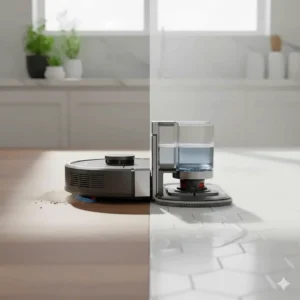
Robot Vacuum vs Traditional Alternatives
| Feature | Robot Vacuum | Upright Vacuum | Stick Vacuum |
|---|---|---|---|
| Automation | Fully automatic | Manual operation | Manual operation |
| Suction Power | 2,000-22,000 Pa | 15,000-25,000 Pa | 8,000-18,000 Pa |
| Battery Runtime | 60-220 minutes | Unlimited (corded) | 30-90 minutes |
| Stairs Capability | No | Yes | Yes |
| Under Furniture | Excellent | Poor | Moderate |
| Initial Cost | $200-$2,500 | $100-$800 | $200-$700 |
| Noise Level | 55-70 dB | 70-85 dB | 65-80 dB |
| Maintenance Effort | Low-Moderate | Low | Low-Moderate |
Maximizing Your Robot Vacuum’s Performance
Prepare Your Home for Optimal Cleaning
Simple environmental adjustments dramatically improve robot vacuum effectiveness. Start by removing obvious obstacles—loose cables, small toys, lightweight rugs that bunch up easily. Many users discover taping down rug corners or using rug grippers solves the frustration of watching their robot push area rugs into crumpled heaps.
Furniture risers lifting beds and sofas an extra inch or two expand cleanable areas substantially. Most robot vacuums feature 3-4 inch clearance, so raising furniture to 4.5-5 inches provides comfortable access while maintaining aesthetic appearance.
Establish Effective Cleaning Schedules
Frequency matters more than duration for maintaining consistently clean floors. Running your robot vacuum daily for 30-45 minutes produces better results than weekly 3-hour marathon sessions, as it prevents dirt accumulation that requires multiple passes to remove.
Consider your household’s rhythms when scheduling. Families with young children might run cleanings during afternoon naptime or after bedtime. Remote workers benefit from scheduling sessions during commute times or lunch breaks. Pet owners often schedule twice-daily sessions—morning after overnight shedding and evening after active daytime hours.
Monitor and Adjust Cleaning Patterns
Most advanced robot vacuums provide detailed cleaning maps through their smartphone apps, showing exactly which areas were cleaned, how long was spent in each zone, and where obstacles were encountered. Review these maps periodically to identify problematic areas.
Persistent gaps in coverage often indicate furniture configurations blocking access, insufficiently charged batteries causing premature returns to base, or sensor issues preventing the robot from entering specific spaces. Adjusting furniture placement or creating custom cleaning zones addresses most issues.
Troubleshooting Common Robot Vacuum Issues
The Robot Gets Stuck Repeatedly in the Same Location
Persistent stuck incidents usually stem from one of three causes: furniture legs spaced too narrowly for comfortable passage, hanging fabric (curtains, bedspreads) that drapes to floor level, or decorative objects with irregular shapes that confuse navigation sensors.
Solutions depend on the specific situation. Furniture leg spacing under 8-10 inches often requires either rearranging furniture slightly or adding virtual no-go zones around problem areas. Hanging fabrics benefit from simple clips or ties keeping material 1-2 inches above floor level. Decorative objects might need relocation to elevated surfaces.
Cleaning Coverage Seems Incomplete or Inconsistent
Incomplete cleaning typically indicates navigation problems rather than suction issues. Check for dirty or obstructed sensors—LiDAR towers, cliff sensors, and wall-following sensors all require unobstructed views and clean surfaces to function properly.
Low battery charge levels cause some models to prioritize returning to base over completing thorough coverage. Ensure the charging dock maintains proper connection and the battery holds adequate charge. Batteries degrading after 18-24 months of use might require replacement to restore original performance levels.
The Robot Makes Unusual Noises or Shows Error Messages
Strange sounds often signal mechanical problems requiring immediate attention. High-pitched whining suggests tangled hair around brush motors or wheel axles. Grinding noises indicate foreign objects lodged in brush mechanisms. Rattling points toward loose components or debris trapped in dust bin areas.
Most error messages prove remarkably literal—”Clear main brush” means exactly that. Consult your manual for error code specifics, but most resolve quickly through basic maintenance: emptying dust bins, clearing brush tangles, cleaning sensors, or repositioning the robot away from problem areas.
FAQ
❓ How long do robot vacuum batteries typically last before replacement?
❓ Can robot vacuums effectively clean multiple floor levels in my home?
❓ What's the difference between HEPA filters and standard filters in robot vacuums?
❓ How do robot vacuums handle pet waste accidents?
❓ What maintenance tasks do self-emptying robot vacuums still require?
Conclusion
Choosing the best robot vacuum for your specific situation ultimately comes down to matching features with your actual lifestyle needs rather than simply buying the most expensive or highest-spec model available. The Roborock Saros 10R represents the absolute pinnacle of current technology, but many households will find the eufy X10 Pro Omni or MOVA P10 Pro Ultra deliver 90% of the performance at significantly lower cost.
For budget-conscious shoppers, the eufy 11S MAX proves that effective automated cleaning doesn’t require premium pricing. Pet owners benefit tremendously from anti-tangle brush systems and powerful suction found in the Ecovacs X9 Pro Omni. Households prioritizing mopping performance should focus on roller-based systems rather than spinning pad alternatives.
The robot vacuum market continues evolving rapidly, with manufacturers introducing improvements that seemed impossible just a few years ago. What started with simple bump-and-go navigation has transformed into AI-powered systems that can distinguish between dropped socks and pet accidents, navigate complex multi-room layouts, and maintain themselves for weeks without human intervention.
Whatever model you ultimately choose, remember that the best robot vacuum is the one that actually runs regularly. Schedule it to clean daily, perform basic maintenance consistently, and you’ll discover why millions of households now consider these little robots absolutely essential members of their cleaning team.
✨ Don’t Miss These Exclusive Deals!
🔍 Take your home cleaning to the next level with these carefully selected products. Click on any highlighted item to check current pricing and availability. These tools will help you create authentic spotless floors your family will love!
Recommended for You
- 7 Best Brushes to Clean Rims That Actually Work (2025)
- Stick Vacuum vs Upright: 7 Proven Differences (2025 Guide)
- 7 Best Handheld Vacuum for Car Detailing 2025 – Top Rated
Disclaimer: This article contains affiliate links. If you purchase products through these links, we may earn a small commission at no additional cost to you.
✨ Found this helpful? Share it with your friends! 💬🤗
